


Best 12 Free AI Tattoo Generator in 2026
As a tattoo enthusiast, I grew tired of expensive apps and their limited free trials. This prompted me to search for the best free AI tattoo generators that would allow me to explore unlimited design ideas without any upfront costs. I discovered several platforms that enabled me to experiment at no charge, virtually test placements, and even delve into anime-inspired tattoos with an AI anime tattoo generator. In this article, I will guide you through the 12 best AI tattoo generators of 2026, sharing my personal experiences with each one. I will explain how I ultimately found a tool that made tattoo design enjoyable, free, and limitless.
What Is a Free AI Tattoo Generator?
A free AI tattoo generator is an AI-powered tool that can turn your prompts into tattoo-ready designs. Whether you want to create with:
- ai tattoo generator from text (I type an idea, the AI turns it into a tattoo design.)
- ai tattoo generator from photo(I upload a picture, the AI makes it tattoo-ready.)
- ai tattoo font generator(I describe the vibe, AI gives me custom lettering.)
- ai tattoo try on(I preview tattoos on my skin before deciding.)
These tools allow you to preview and refine your tattoos virtually before getting inked.
12 Best AI Tattoo Generators in 2026 – Full Comparison Table
| Tool | Best For | Key Features | Free Access / Pricing | Main Limitation |
|---|---|---|---|---|
| Tat Ink | Overall tattoo creation and try on | Text to tattoo, image to tattoo, tattoo styles, AI try on, tattoo font tools | Free daily generations. Paid plans start from $8.79/month | Monthly credits do not roll over |
| Adobe Firefly | Commercially safer tattoo concepts | Prompt based tattoo ideas, reference images, editing workflow | Free with Adobe account and monthly generative credits | Less tattoo specific than dedicated tools |
| Fotor AI Tattoo Generator | Beginners who want design + try on | Text prompts, photo prompts, tattoo simulator, body preview | Free online access | Advanced editing may still feel general purpose |
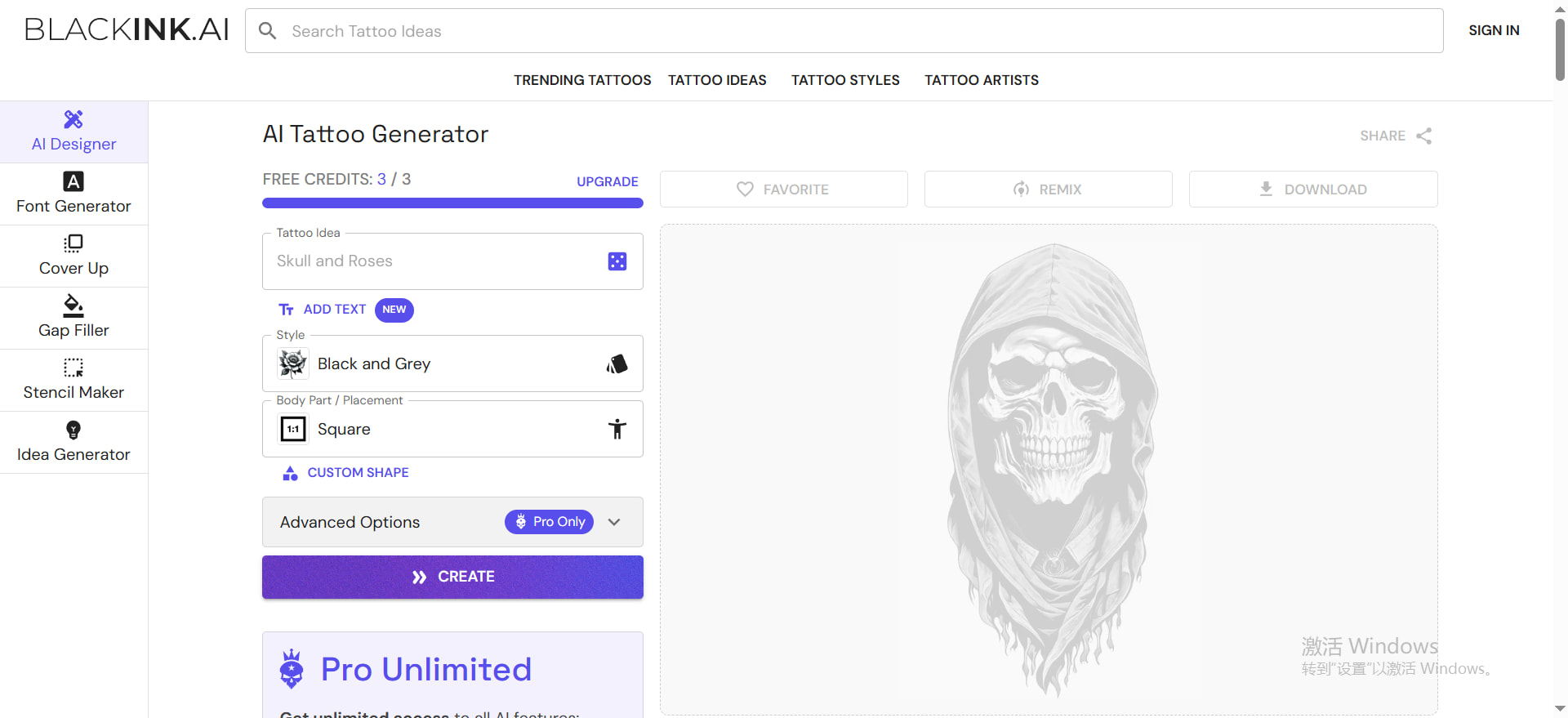
| BlackInk AI | Tattoo enthusiasts who want placement previews | AI tattoo generator, body placement visualization, stencil converter, 4x download | Free trial credits. Pro Unlimited available | Free credits are limited |
| Tatship | Realistic tattoo preview and planning | Virtual tattoo try on, 3D preview, skin blending, mobile support | Free trial with basic features | Advanced AI generation may require upgrade |
| Remaker AI | Quick creative tattoo ideas and image editing | AI image creation, enhancement, upscaling, multilingual support | Free credits for new users. Paid credits from $5.99 | Not built only for tattoos |
| Getimg.ai | Power users and AI creators | Multiple image models, commercial rights, upscaling, team workflow | Paid plans start from $10/month | Better for general image generation than tattoo planning |
| Imgkits | Simple image to tattoo experiments | AI image editing, credits based image processing | Pay as you go from $0.50/credit | Limited dedicated tattoo workflow |
| iPic.ai | Simple AI image generation | Text to image, private images, HD images, commercial use on paid plans | Paid plans start from $9.99/month | Tattoo specific controls are limited |
| Ink Studio AI | Short term tattoo design access | AI tattoo generator, style transfer, tattoo preview tools | Weekly, bi weekly, and monthly access passes | One time passes may not suit long term use |
| TattoosAI | Dedicated tattoo idea generation | AI tattoo ideas, unlimited design options on subscription | Subscription available | Less flexible than full creative suites |
| Canva AI Tattoo Generator | Casual design and layout use | AI tattoo idea generation inside Canva’s design ecosystem | Free to use Canva platform with upgrade options | Not as specialized for tattoo artists |
When it comes to exploring tattoos without commitment, I’ve learned that nothing beats a free AI tattoo generator. For me, these tools make it possible to design tattoos instantly — whether I’m typing out an idea, uploading a photo, or experimenting with different fonts. The best part is that some even let me preview the tattoo directly on my skin before making a permanent decision.
Over the past year, I’ve tried three different platforms side by side:
BlackInk AI impressed me with its body placement previews and detailed designs, but I quickly hit the credit limit and had to consider paying for more.
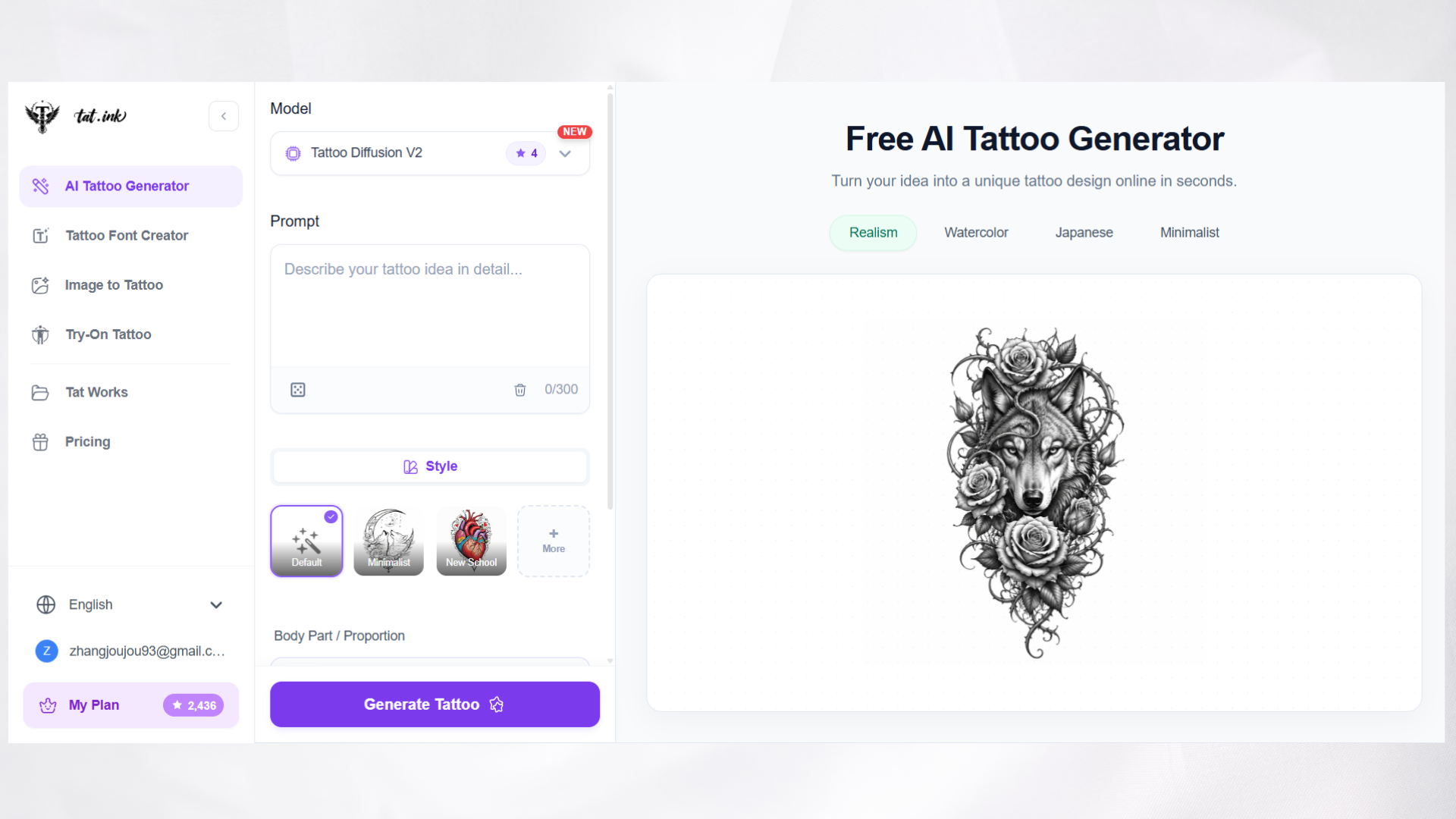
tat.ink stood out to me because it offered access for free. I could generate tattoos from text and photos, and even try them on virtually, all without worrying about credits or hidden paywalls.
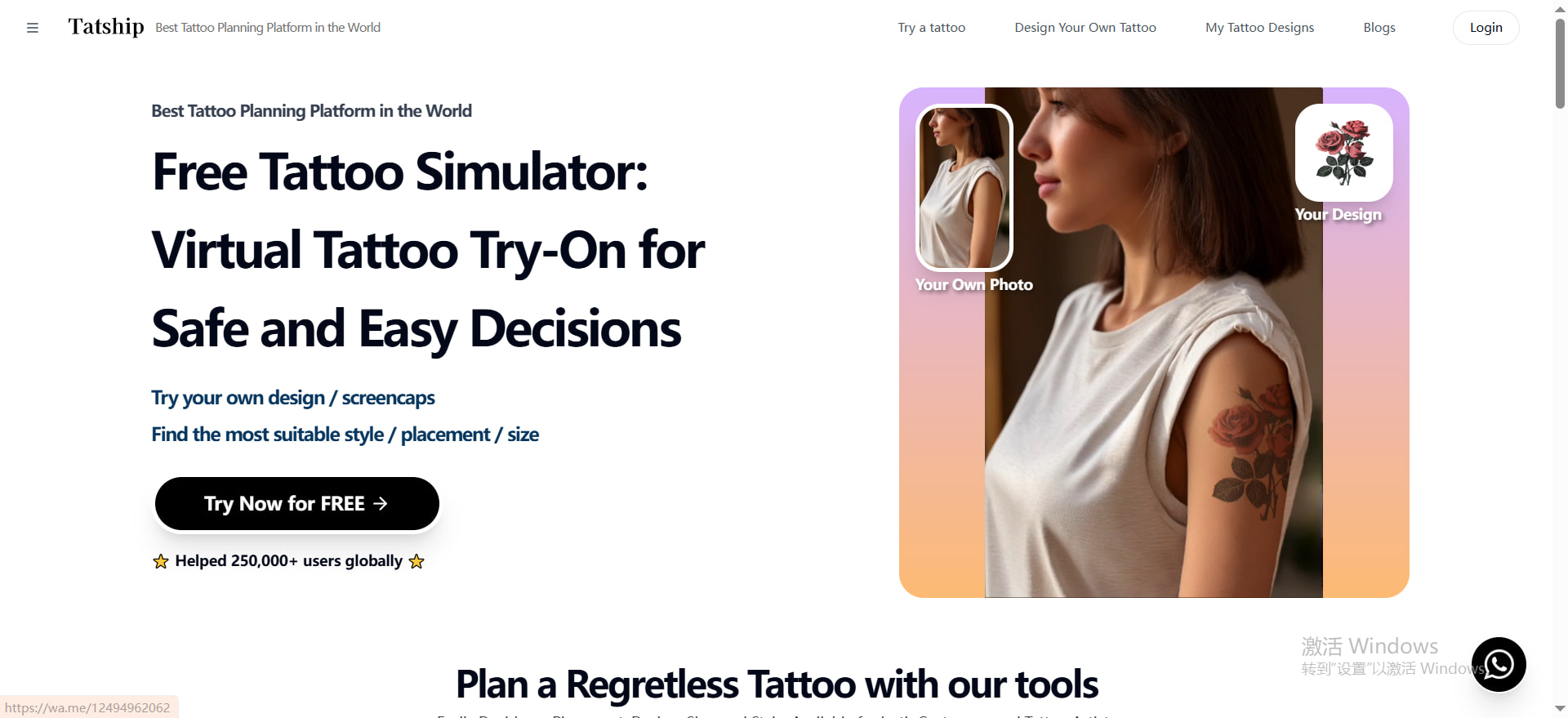
- Tatship gave me community inspiration and a gallery of designs, but the free credits run out quickly.
Each tool had strengths, but the experience with tat.ink was the most liberating — I could keep experimenting with tattoo ideas endlessly without restrictions. And beyond these three, I also tested other free AI tattoo generators:
Imgkits.com was handy for turning photos into tattoos, though the free version felt a bit basic.
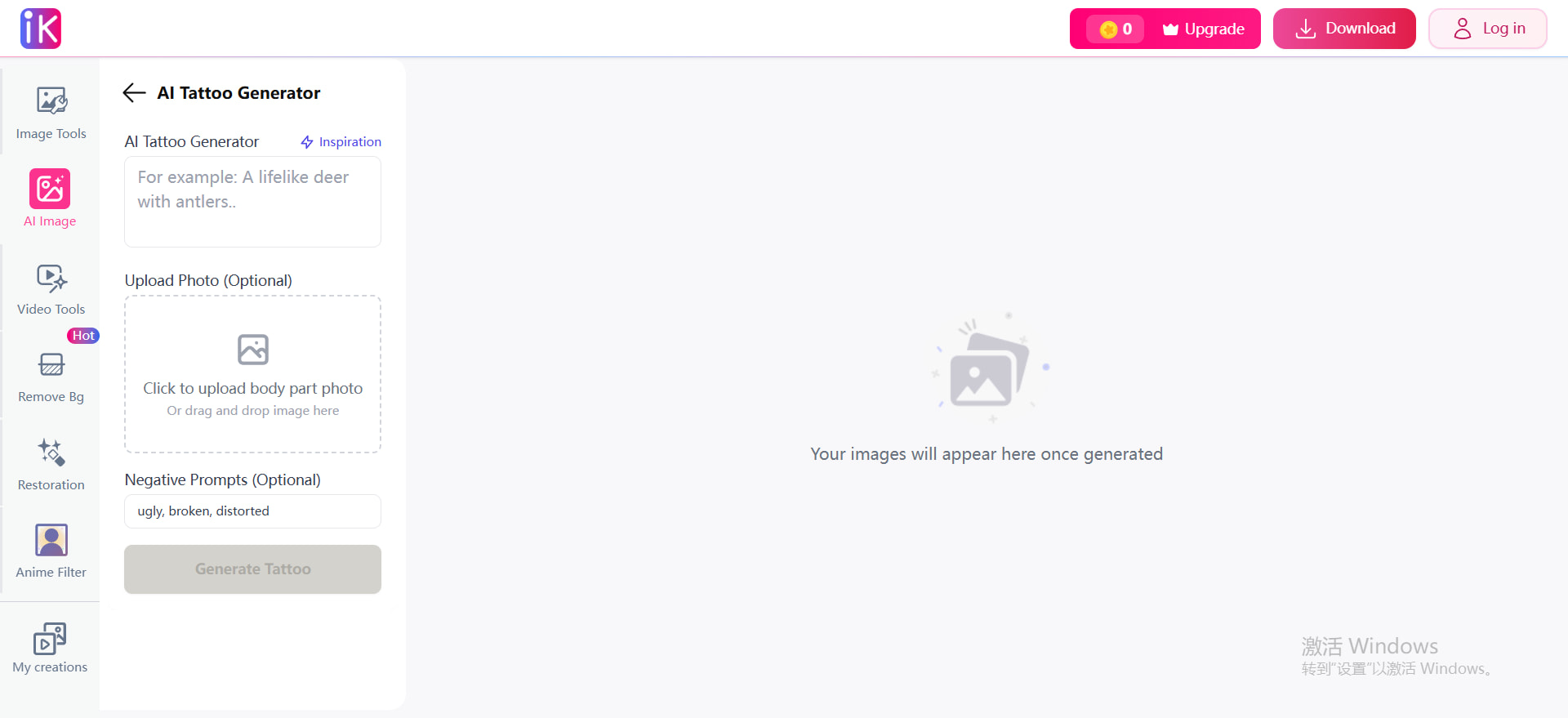
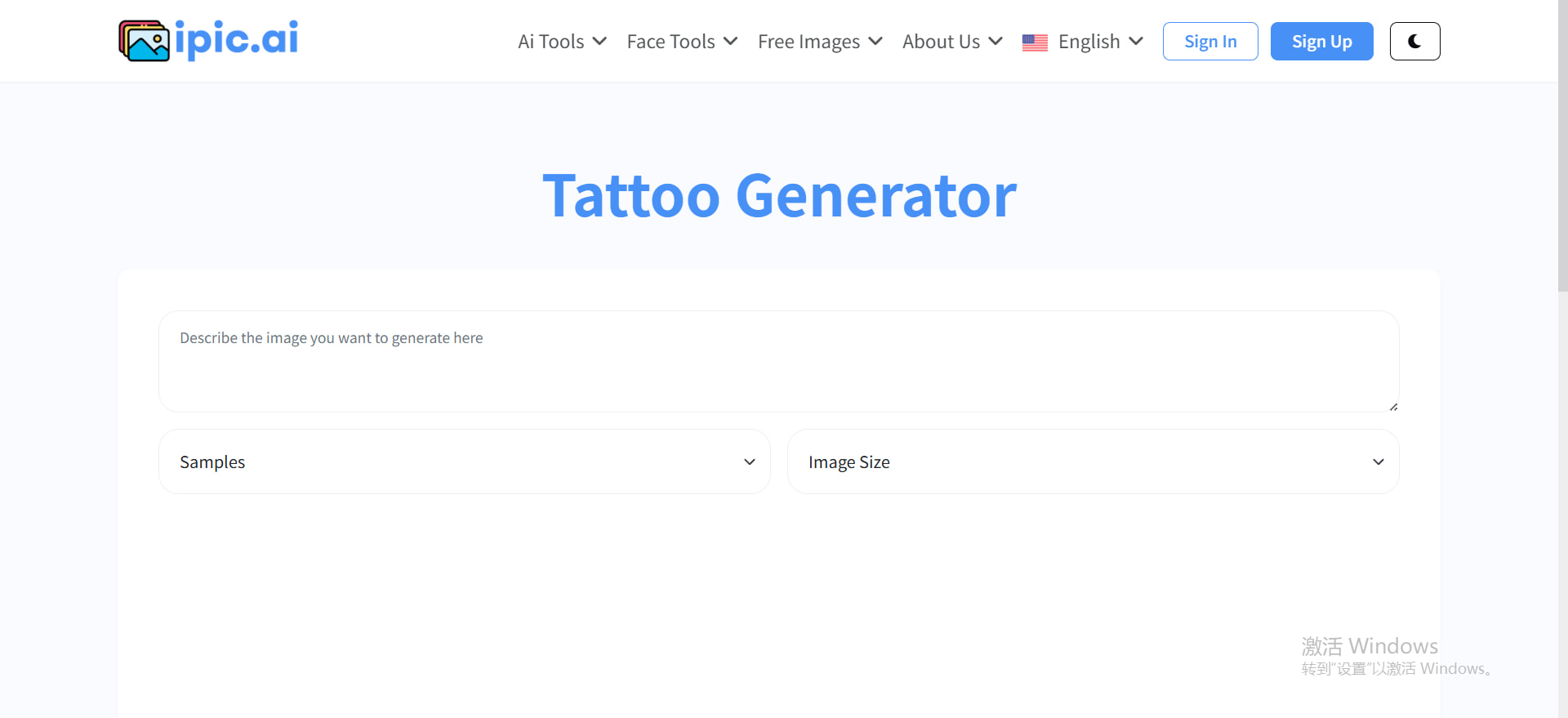
iPic.ai was simple and fast, good for mock-ups but limited in customization.
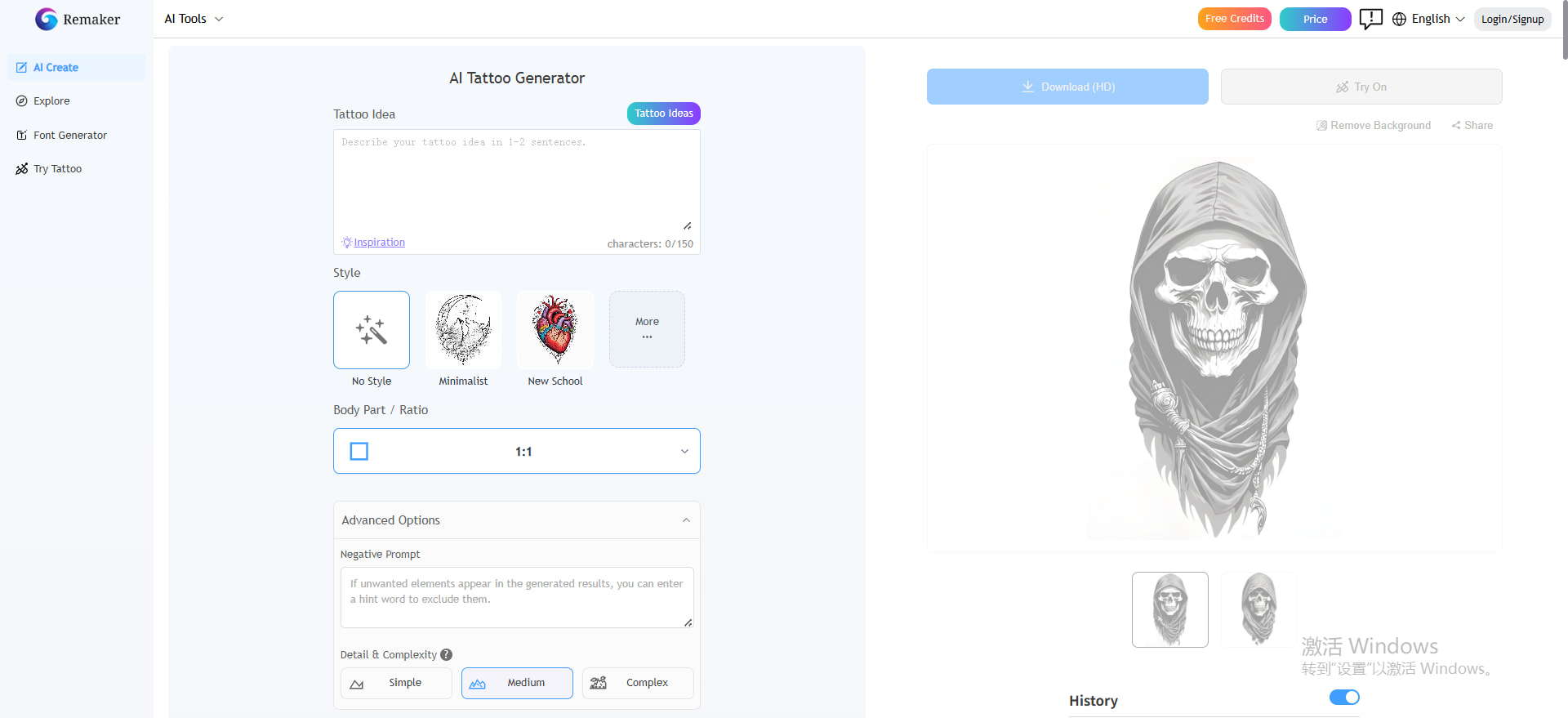
Remaker.ai offered advanced features like training and upscaling with 100 free credits per month, but it’s clearly aimed at power users rather than casual tattoo fans.
With that comparison in mind, let’s dive into the actual results and see how each free AI tattoo generator performs in practice.
12 Top Free AI Tattoo Generator in 2026 (With Pros & Cons)
Let’s review the 12 best Free AI tattoo makers in the market.
1.tat.ink — Best Free AI Tattoo Generator with Unlimited Access
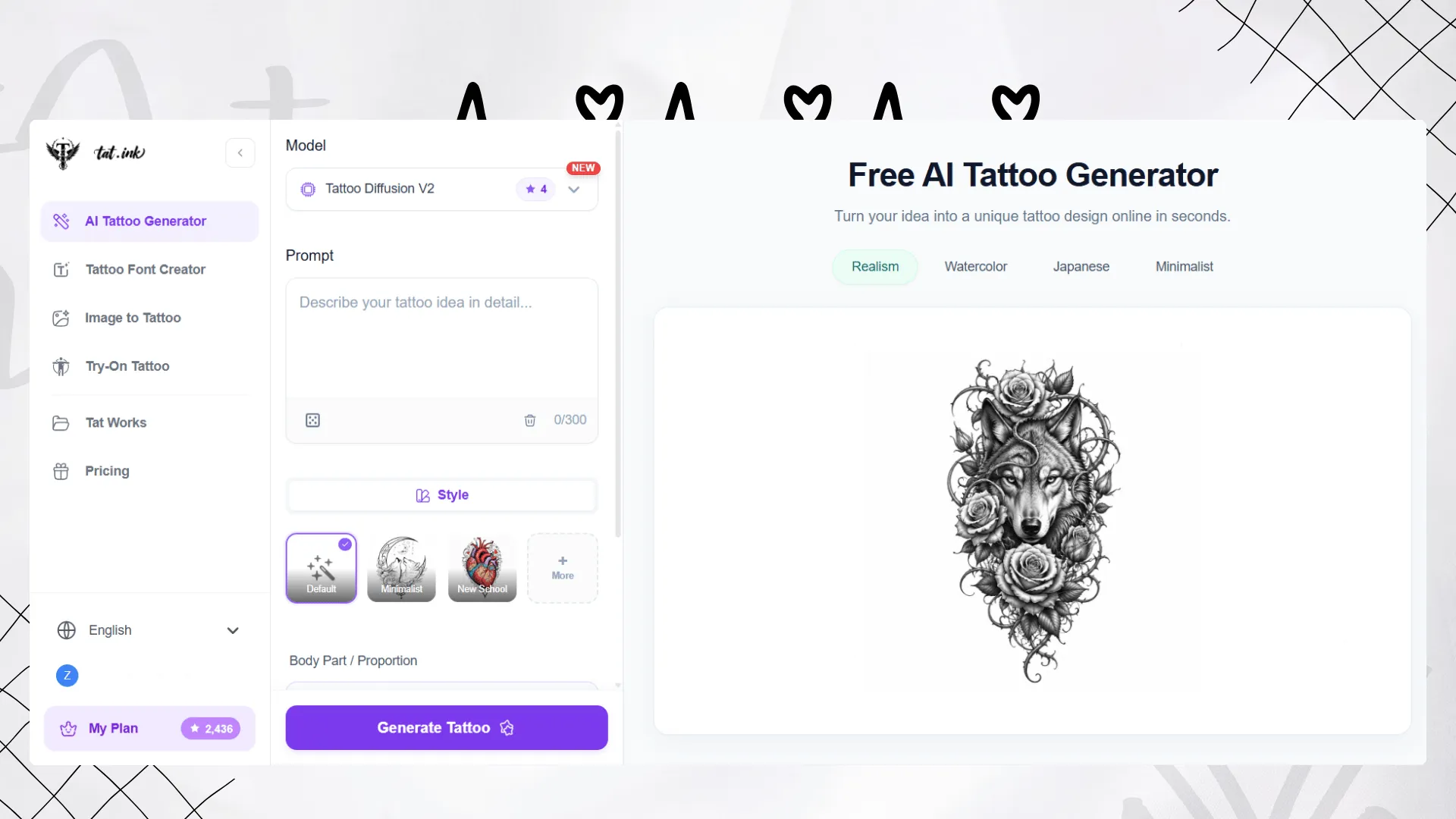
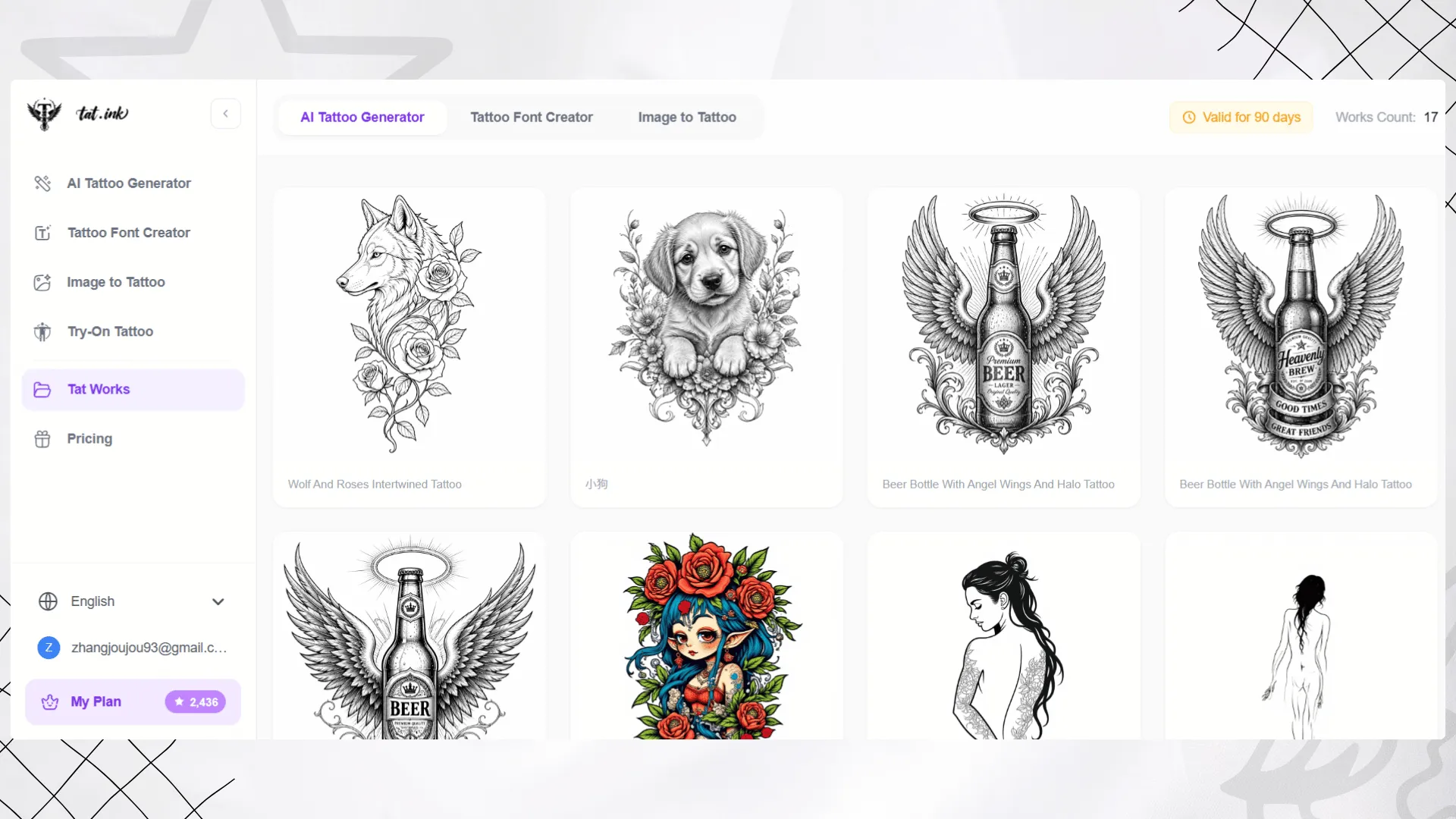
Tat Ink is one of the strongest choices if you want a dedicated AI tattoo workflow instead of a general AI image generator. It includes an AI Tattoo Generator, Tattoo Font Creator, Image to Tattoo, and Virtual Tattoo Try On, making it useful for both inspiration and preview.
With Tat Ink’s AI Tattoo Generator, you can enter a prompt, choose a tattoo style, adjust complexity, and generate tattoo concepts online. The tool supports Tattoo Diffusion V2 and V1, giving users more flexibility when testing different visual directions.
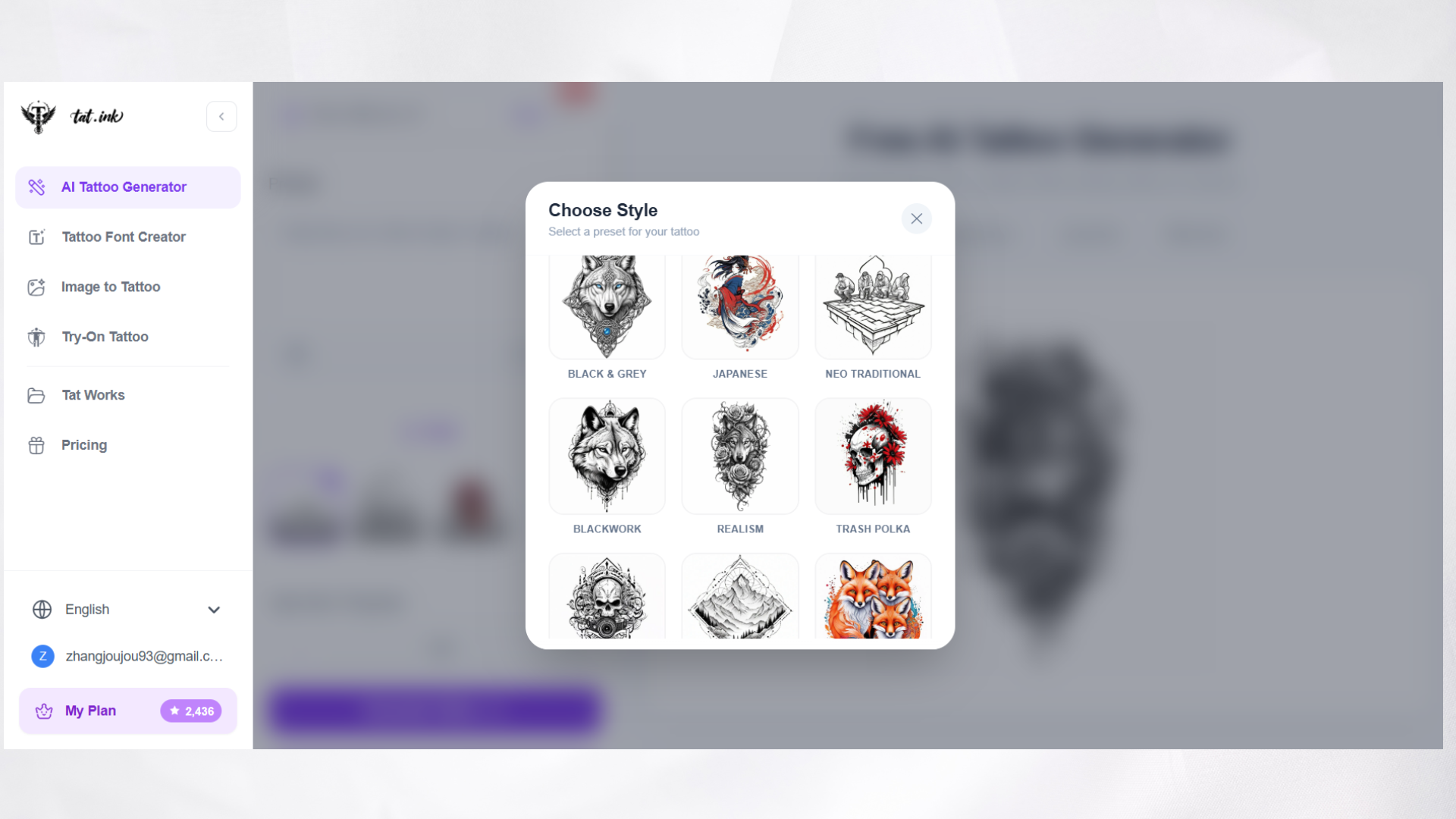
Tat Ink also supports styles such as minimalist, new school, black and grey, Japanese, neo traditional, blackwork, realism, tribal, dotwork, surrealism, and watercolor. This makes it suitable for users who are still comparing styles before committing to a final tattoo.
Another useful part of the workflow is virtual tattoo try on. After creating a design, users can preview how it may look on a real body photo before sharing the idea with a tattoo artist.
Tattoo Generation in Action
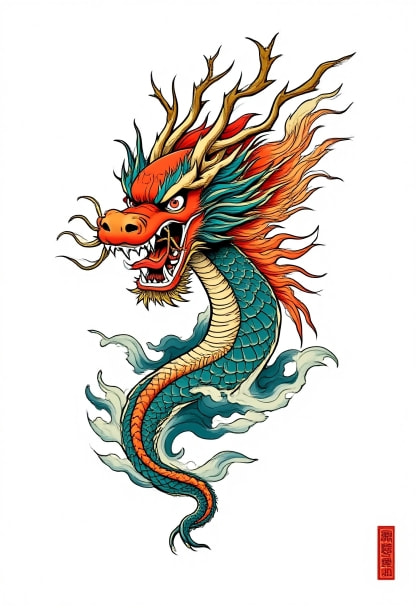
The first time I tried this prompt, the AI generated a minimal dragon tattoo. It wasn’t absolutely perfect, but it matched my basic idea: a clean, fine-line design that looked elegant enough for a forearm tattoo.
Prompt: “Minimal dragon tattoo, fine line, forearm placement, clean and elegant design, no shading.”
Result:
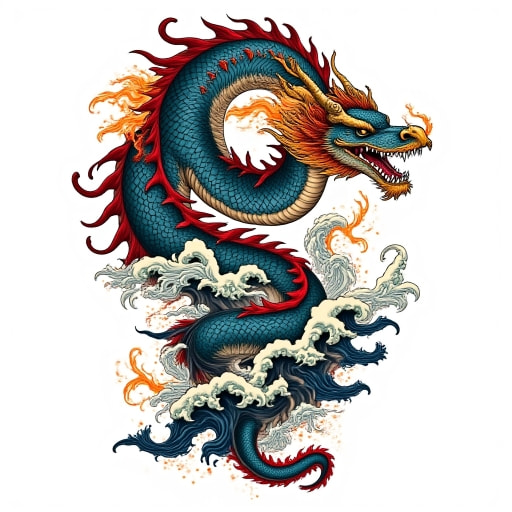
For the second try, I decided to opt for a Japanese style and optimized my prompt with more details. This change completely elevated the results — the AI produced a bold sleeve design with waves, clouds, and vibrant red accents, all highly detailed in the traditional Japanese tattoo aesthetic.
Prompt:“Japanese style dragon tattoo, full sleeve, waves and clouds background, bold blackwork with red accents, highly detailed traditional design.”
Result:
Pros
- Dedicated tattoo design platform
- Supports text to tattoo and image-based tattoo ideas
- Includes tattoo font and try-on tools
- Offers free daily generations
- Good for beginners, tattoo fans, creators, and tattoo studios
Pricing & Free Trial
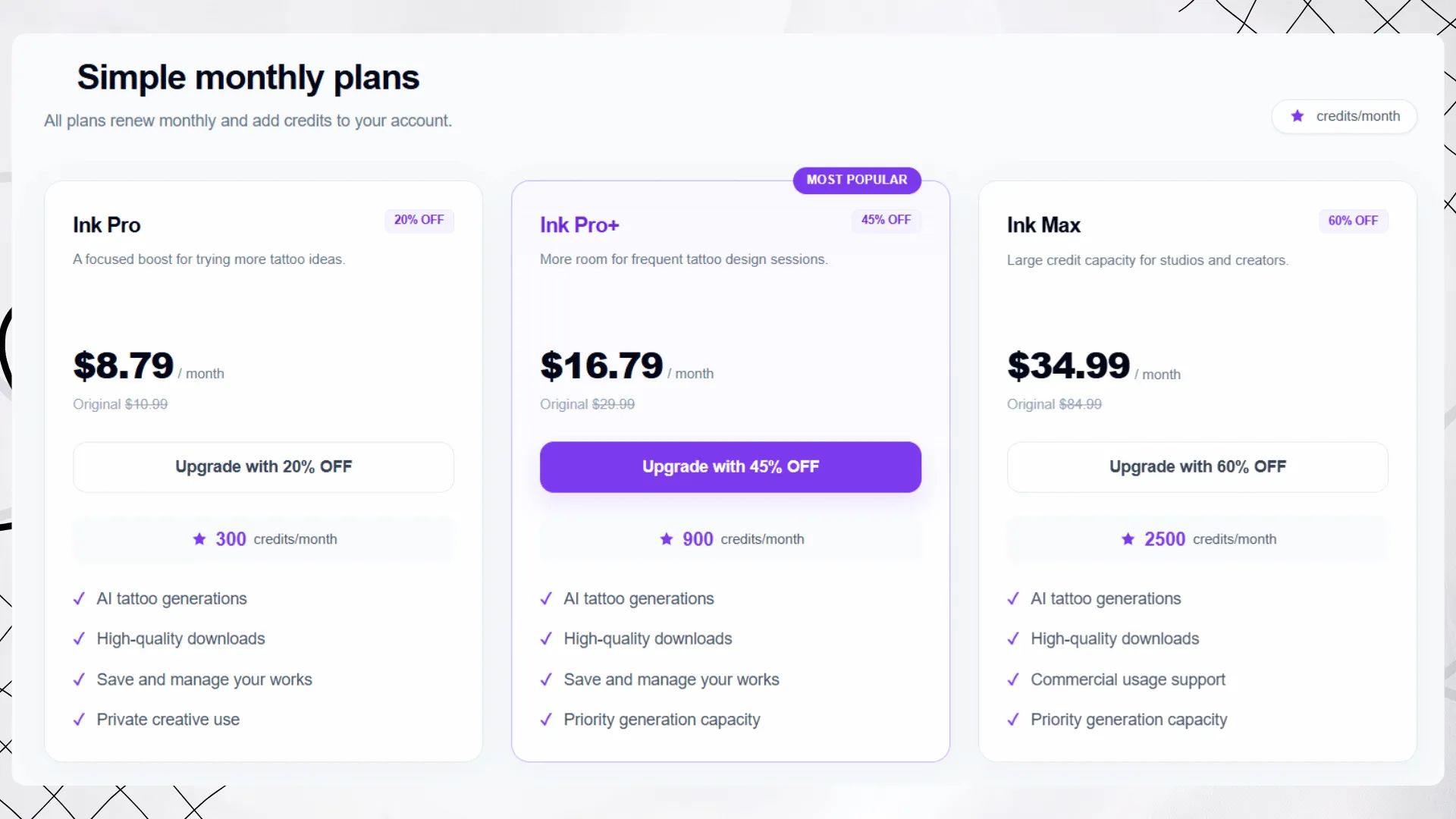
Tat Ink offers free daily generations. Paid plans include:
- Ink Pro: $8.79/month for 300 credits
- Ink Pro+: $16.79/month for 900 credits
- Ink Max: $34.99/month for 2500 credits
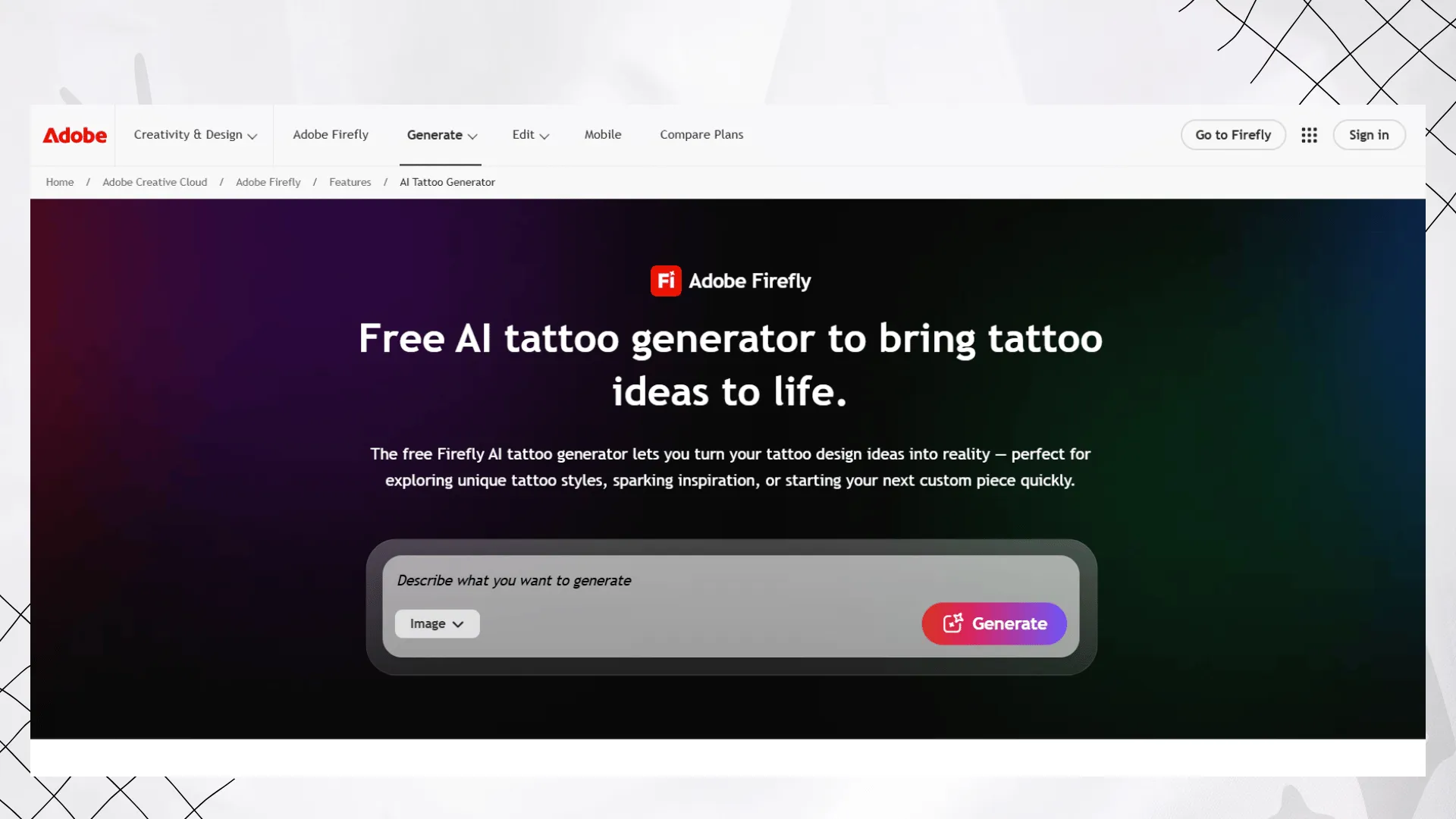
2. Adobe Firefly — Best AI Tattoo Generator for High-quality AI Tattoo Concepts
Adobe Firefly is a strong option for users who want high-quality AI tattoo concepts with a more professional creative workflow. It can generate tattoo-style artwork from text prompts or visual references, and it supports styles such as realism, traditional, blackwork, minimalist, and Japanese.
Firefly is not only built for tattoos, but its output quality and editing flexibility make it useful for creating polished tattoo references. It is especially helpful for designers, illustrators, and tattoo artists who already work with Adobe tools.
Pros
- High-quality AI generated tattoo concepts
- Supports prompts and visual references
- Good for realistic, minimalist, blackwork, and Japanese style designs
- Commercially safe Firefly models
- Strong editing ecosystem
Cons
- Requires an Adobe account
- Not a tattoo-only platform
- Free users have limited monthly generative credits
Pricing & Free Trial
Adobe Firefly can be used for free with an Adobe account and a limited number of monthly generative credits. Paid Firefly plans are available for users who need more credits and advanced creative features.
3. Fotor AI Tattoo Generator — Best AI Tattoo Generator for Creating Tattoo Designs
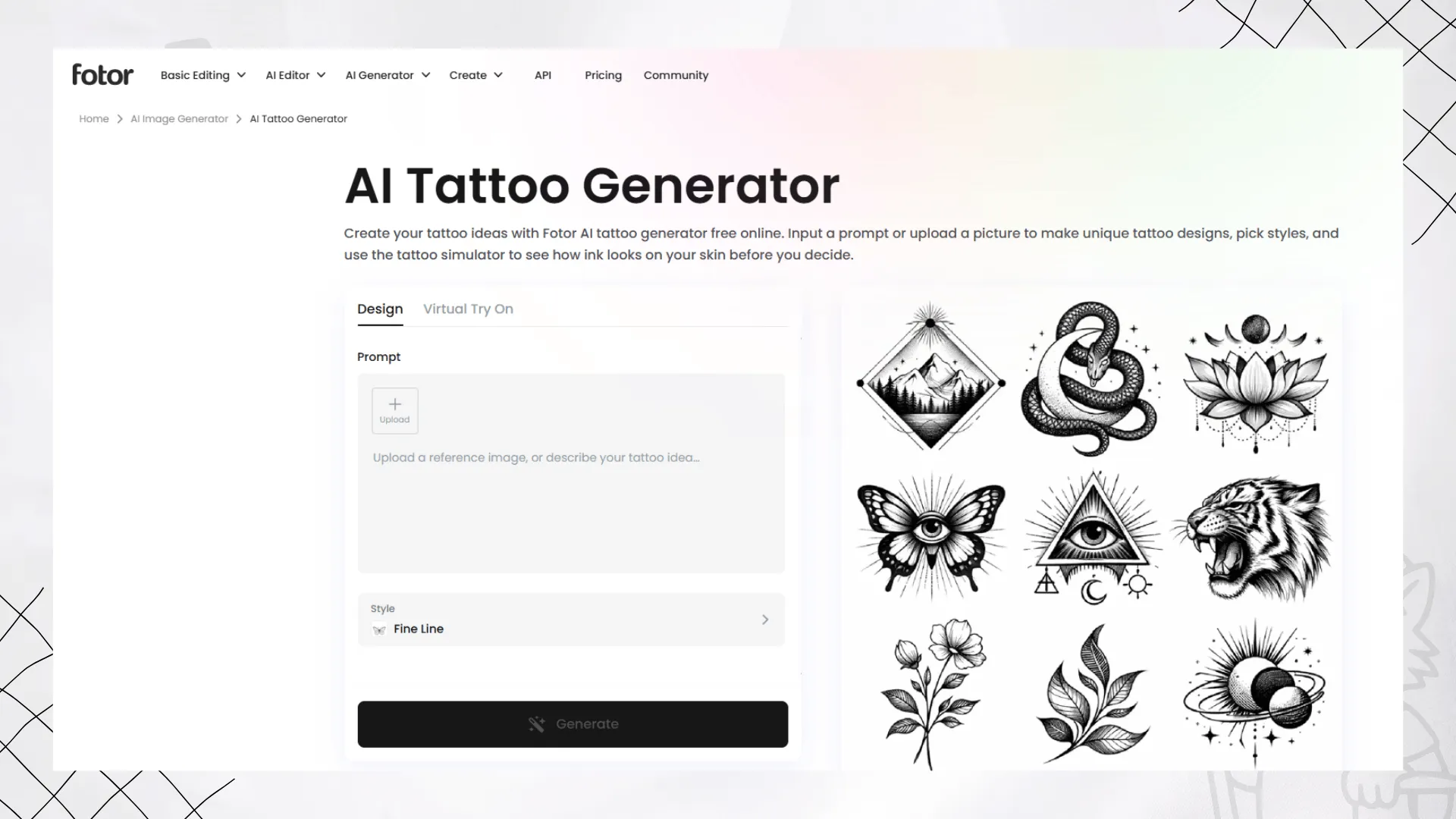
Fotor AI Tattoo Generator is a beginner-friendly option for creating tattoo designs and previewing them on the body. It supports text prompts, photo prompts, and tattoo simulator features, making it useful for users who want both tattoo ideas and placement previews.
You can generate tattoo concepts from a description, turn uploaded images into tattoo-ready artwork, and use the virtual tattoo try-on feature to test placement on areas such as the forearm, chest, thigh, back, wrist, or behind the ear.
Pros
- Easy for beginners
- Supports text and image prompts
- Includes virtual tattoo try-on
- Offers body area, skin color, and gender preview options
- Good for quick tattoo inspiration
Cons
- Some results may need manual refinement
- Less specialized than a dedicated tattoo-only platform
- Output quality can vary depending on the prompt
Pricing & Free Trial
Fotor currently presents its AI tattoo generator as a free online tool. Users should still check the platform directly for any account, export, or premium feature limits.
4. BlackInk AI — Best AI Tattoo Generator for Body Placement Previews
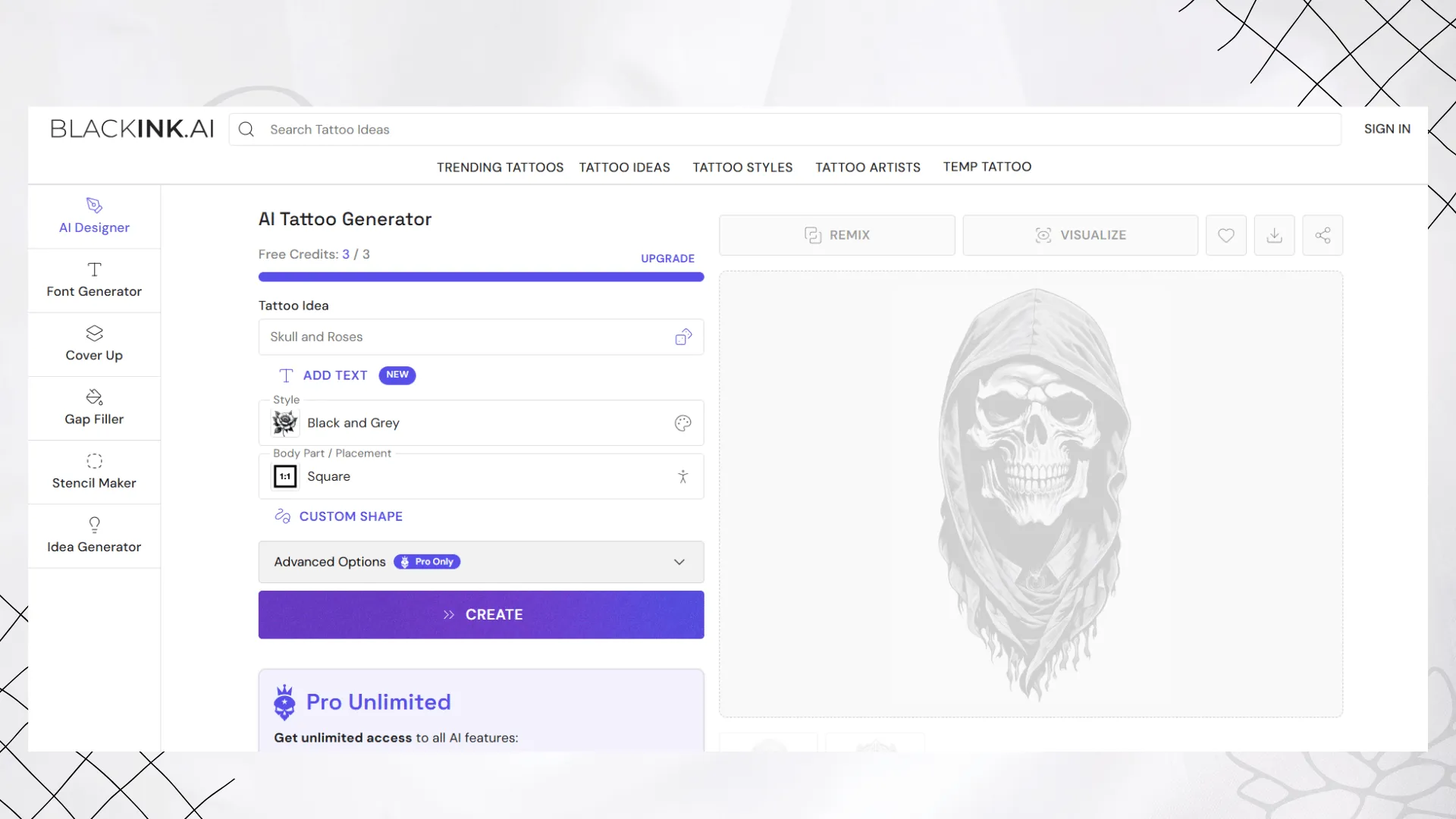
BlackInk AI is a dedicated AI tattoo generator focused on tattoo creation, placement visualization, and design control. It is especially useful if you want to explore body placement, tattoo complexity, colors, line weight, and stencil style outputs.
Its Pro Unlimited plan includes access to AI tattoo generation, unlimited body placement visualization, templates by placement, image to stencil conversion, and 4x super resolution downloads.
Pros
- Built specifically for tattoo design
- Supports body placement visualization
- Offers control over complexity, colors, and line weight
- Includes image to stencil conversion
- Good for serious tattoo planning
Cons
- Free trial credits are limited
- Some advanced features require Pro Unlimited
- Interface may feel more focused on tattoo enthusiasts than casual users
Pricing & Free Trial
BlackInk AI offers free trial credits. Pro Unlimited is available for users who want full access to AI tattoo features and placement visualization.
5. Tatship — Best AI Tattoo Generator for Virtual Tattoo Try-on and Tattoo Planning
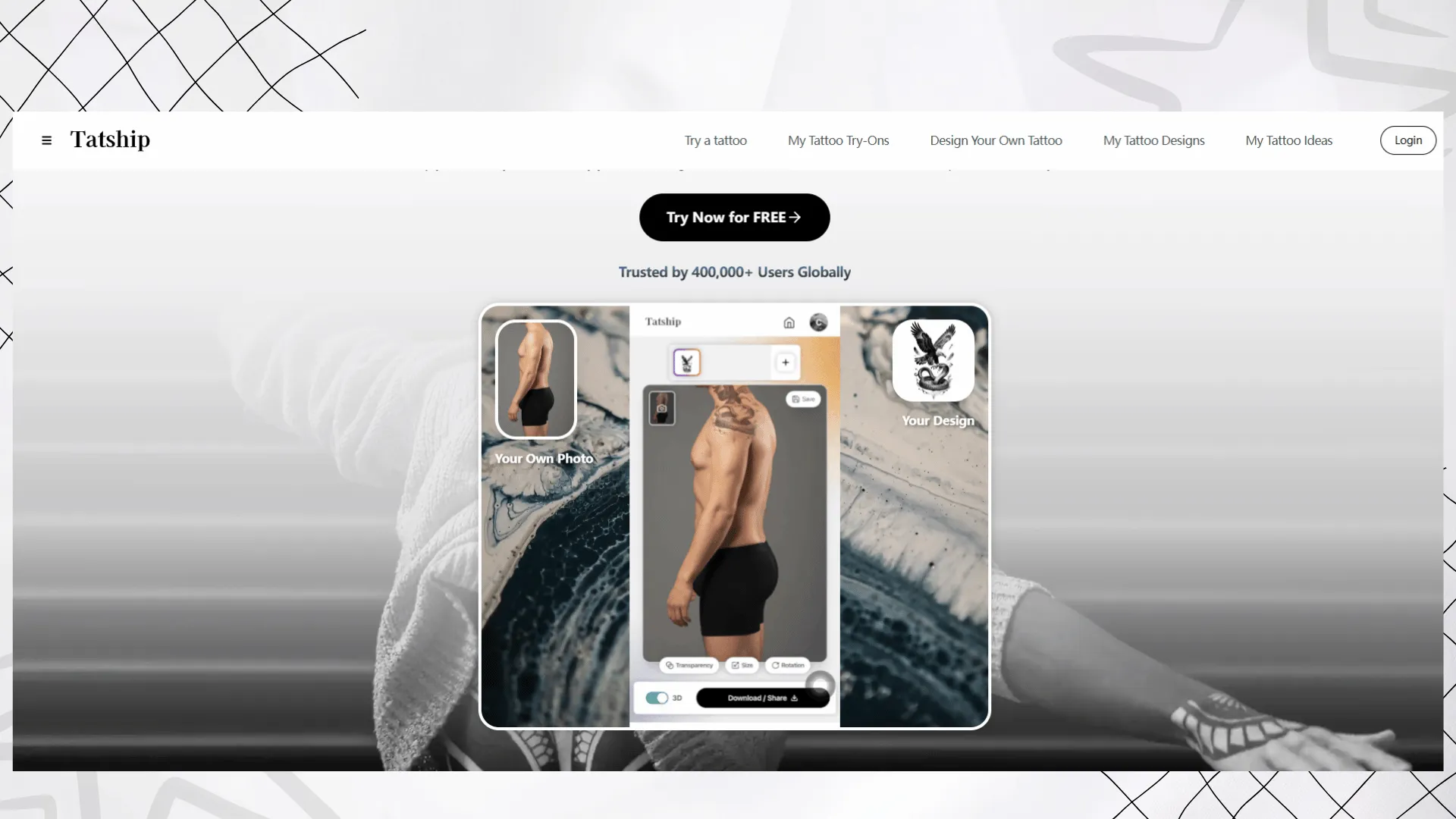
Tatship is best known for virtual tattoo try-on and tattoo planning. Instead of only generating tattoo designs, it focuses on helping users see how a tattoo may look on real skin with more realistic blending.
The platform supports web and mobile use, and it can help users test placement, size, and realism before getting inked. It is a useful option for people who already have a tattoo design and want to preview it on their body.
Pros
- Strong virtual tattoo try-on experience
- Supports realistic skin blending
- Available on web and mobile
- Good for previewing placement and size
- Helpful for users who want to test before committing
Cons
- Advanced AI generation may require upgrade
- More focused on previewing than original tattoo concept generation
- Pricing details may vary by platform and plan
Pricing & Free Trial
Tatship offers a free trial with unlimited tattoo try-ons and basic features. Premium features such as advanced AI generation and full library access are available through upgrade options.
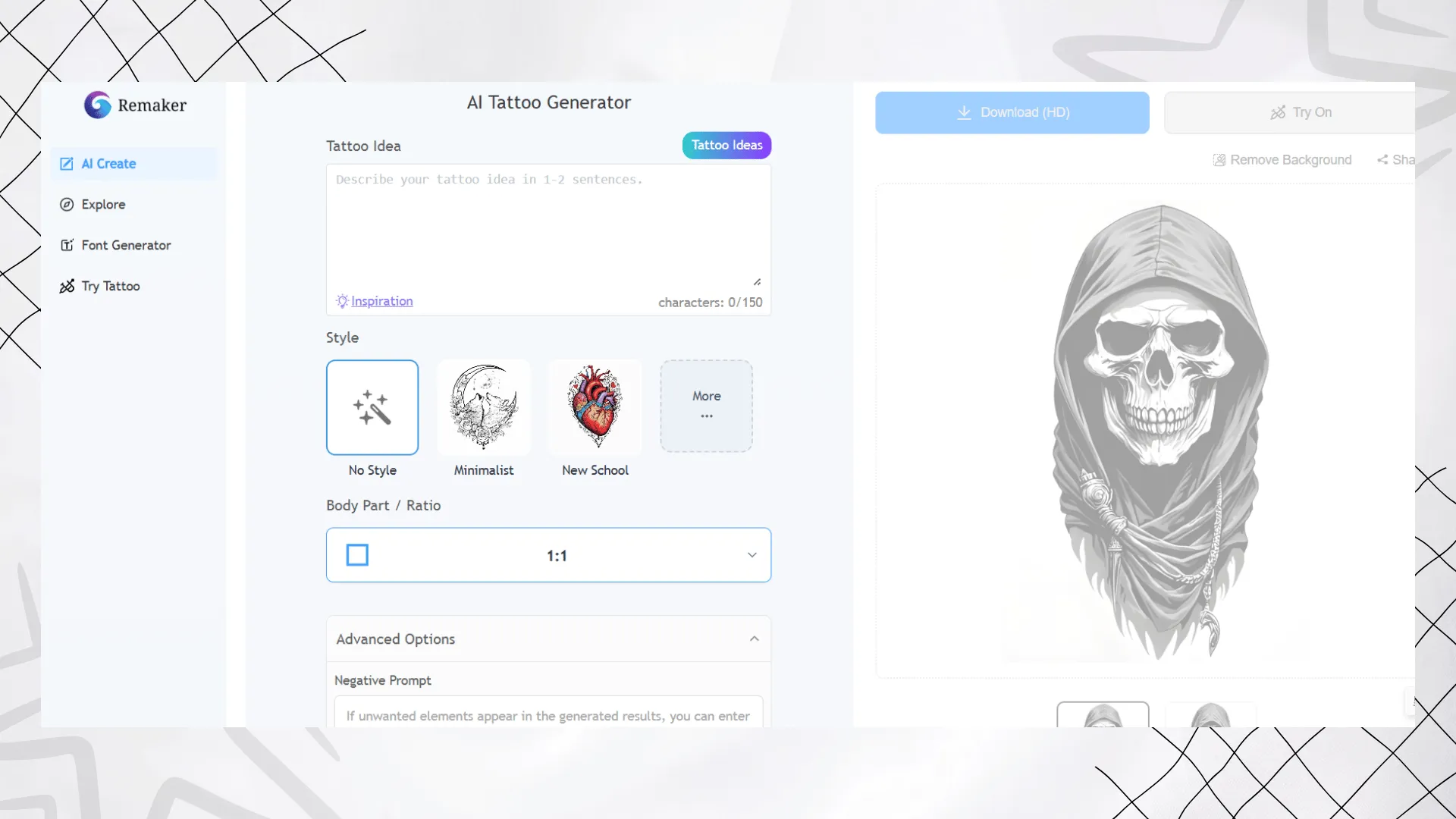
6.Remaker.ai — Best AI Tattoo Generator for Fast Results
Remaker.ai surprised me with how quickly it worked. I could generate tattoos in just 10 to 15 seconds, and the results looked polished. I used their web app, which had no steep learning curve at all. The free plan allows for five tattoos per day, which felt generous compared to other tools.
Tattoo Generation in Action
Prompt: “Minimalist bear tattoo, black ink only, fine line, forearm placement, clean outline of bear head, no shading.”
Result: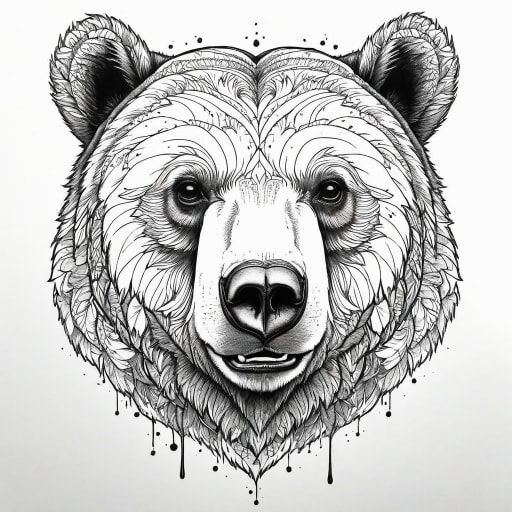
Prompt:“Full chest bear tattoo, realistic fur details, multicolor with brown and gray tones, roaring bear, mountain and pine forest background.”
Result: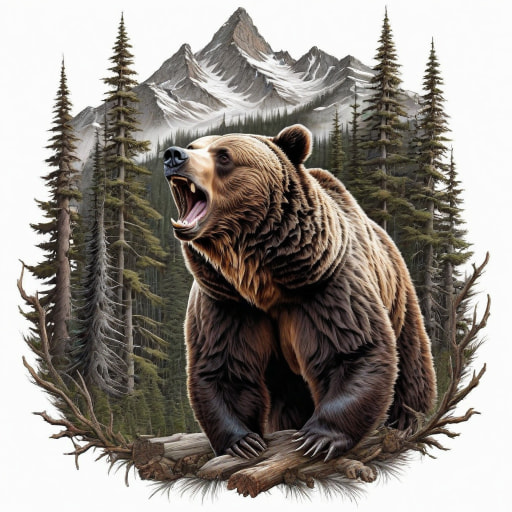
Pricing & Free Trial
Remaker AI uses a credit based model. Paid credit packs currently range from $5.99 for 200 credits to $299 for 20,000 credits. New users can receive free credits after sign up.
I really appreciated how quickly Remaker.ai worked. Within seconds, I had clean, ready-to-use tattoo designs on my screen. It felt exciting to see my ideas come to life instantly, and for me, this is the kind of tool I’d keep handy whenever I need a quick spark of tattoo inspiration.
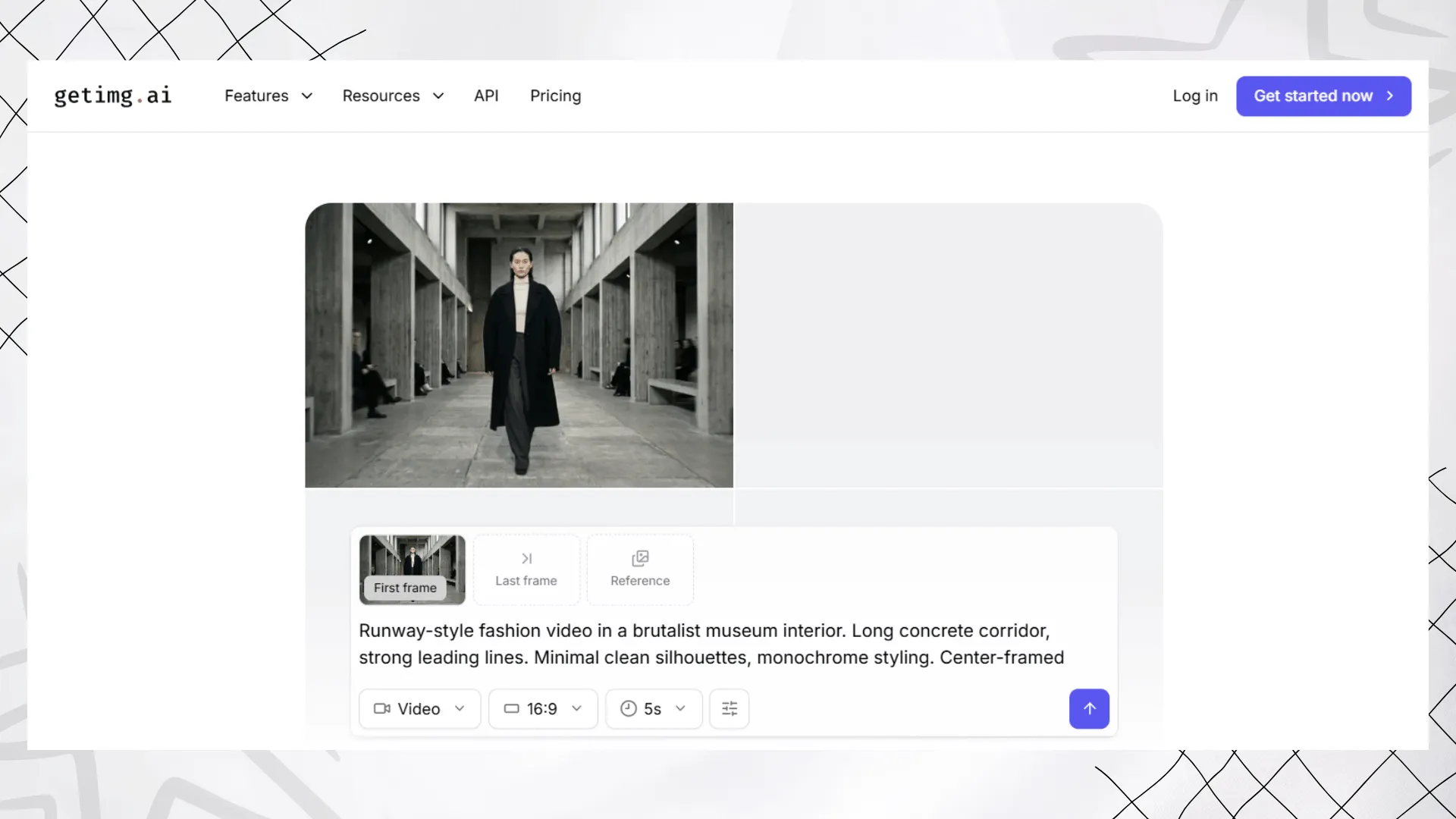
7. Getimg.ai — Best AI Tattoo Generator for Different Image Models
Getimg.ai is a more advanced AI image platform for creators, teams, and users who want access to different image models. It is not a tattoo-specific tool, but it can generate tattoo concepts if you write strong prompts and choose the right style direction.
It is especially useful for users who need commercial rights, upscaling, multiple models, and team workflows. For tattoo work, it is better suited for generating concept art rather than realistic skin try-on.
Pros
- Access to multiple image models
- Supports commercial rights on paid plans
- Includes upscaling and image tools
- Useful for advanced prompt-based creation
- Good for teams and creators
Cons
- Not focused on tattoo design
- No dedicated tattoo placement workflow
- May be too complex for casual users
Pricing & Free Trial
Getimg.ai paid plans currently start from $10/month, or $8/month with annual billing. The Entry plan includes 3,000 credits per month.
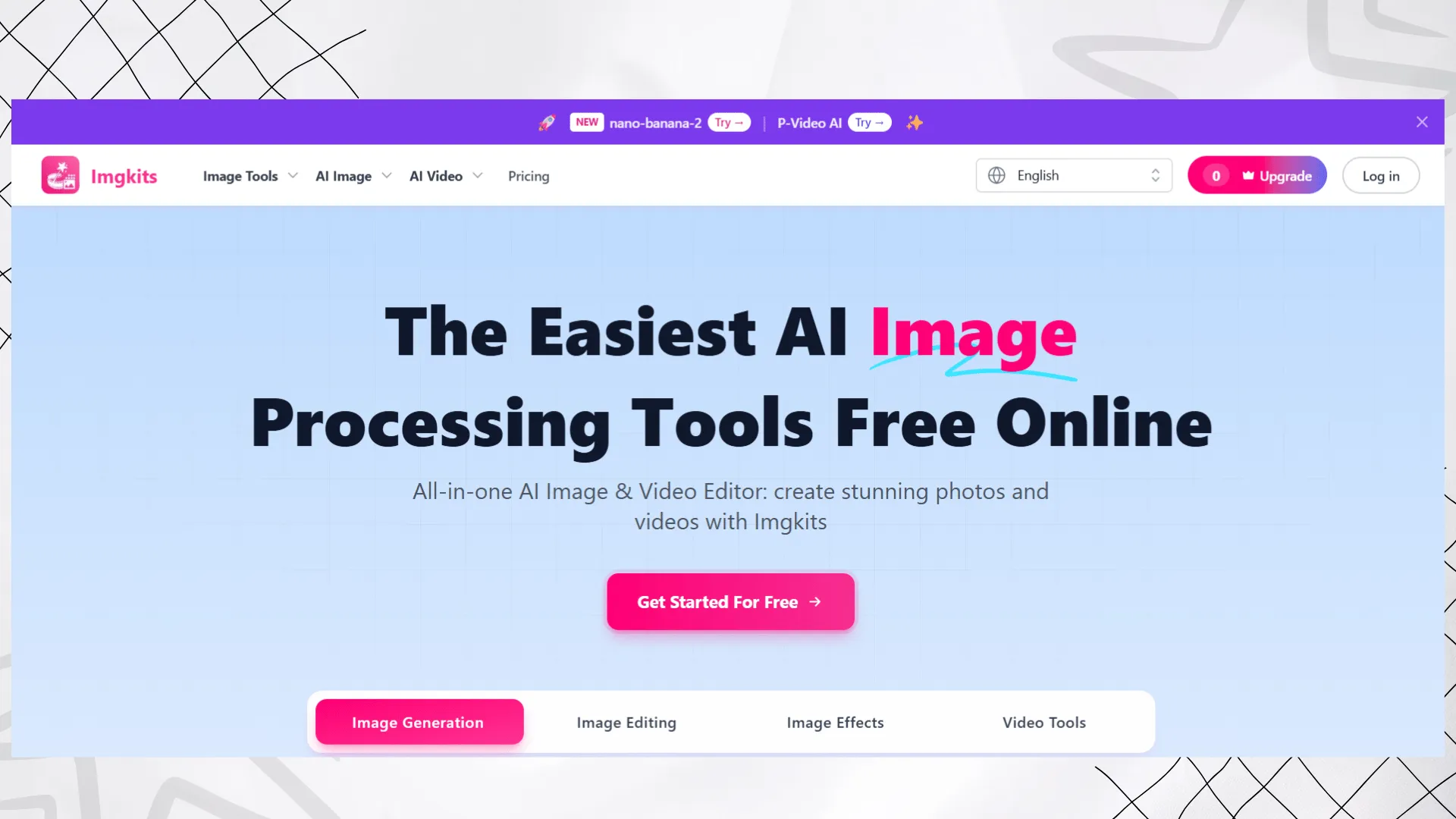
8. Imgkits - Best AI Tattoo Generator for Simple Image to Tattoo Experiments
Imgkits is a general AI image and video editing platform with a pay-as-you-go credit model. While it is not a dedicated tattoo generator, it can be useful for simple image-to-tattoo experiments, background edits, or quick visual transformations.
If you only need occasional AI image processing and do not want a monthly subscription, Imgkits may be convenient.
Pros
- Pay-as-you-go pricing
- Credits have no time limit
- Useful for basic AI image editing
- Good for occasional users
- Simple pricing structure
Cons
- Not tattoo specific
- Limited tattoo style controls
- No dedicated tattoo try-on workflow
Pricing & Free Trial
Imgkits uses pay-as-you-go credits. Current pricing includes:
- 10 credits: $5
- 50 credits: $19
- 150 credits: $29
- 500 credits: $59
9.iPic.ai — Best AI Tattoo Generator for Simple Photo Conversions
iPic.ai is the simplest tool I have tried. It focuses solely on converting photos into tattoo-style images without any extra frills. I used it directly online. The basic free version works instantly, while the Pro version starts at $19.
Tattoo Generation in Action
Prompt: ““Minimalist flower tattoo, fine line style, black ink only, small ankle placement, delicate outline without shading.”
Result: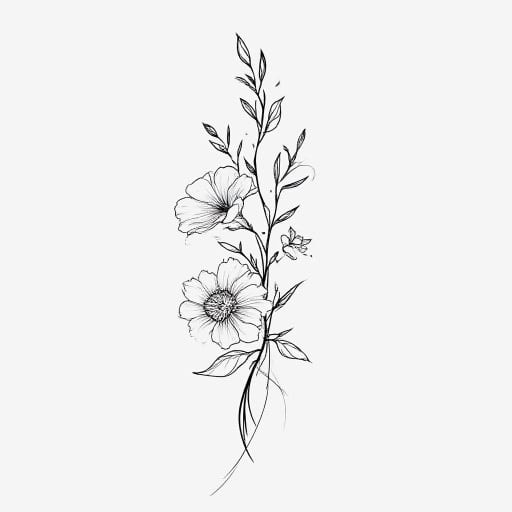
Prompt:“Realistic flower sleeve tattoo, vibrant roses and lilies, red, pink, and green hues, detailed petals and leaves, watercolor background.”
Result: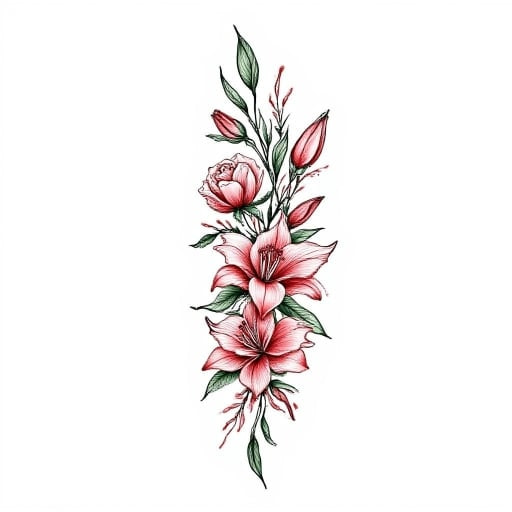
Pricing & Free Trial
Free: Basic conversions.
Paid: Pro version ($19) unlocks advanced styles.
iPic.ai impressed me with its simplicity. I appreciated how quickly I could see my photos as tattoos without needing to make many adjustments. It felt like a relaxed way to experiment with ideas and immediately get a visual.
10. Ink Studio AI — Best AI Tattoo Generator for Tattoo Ideas
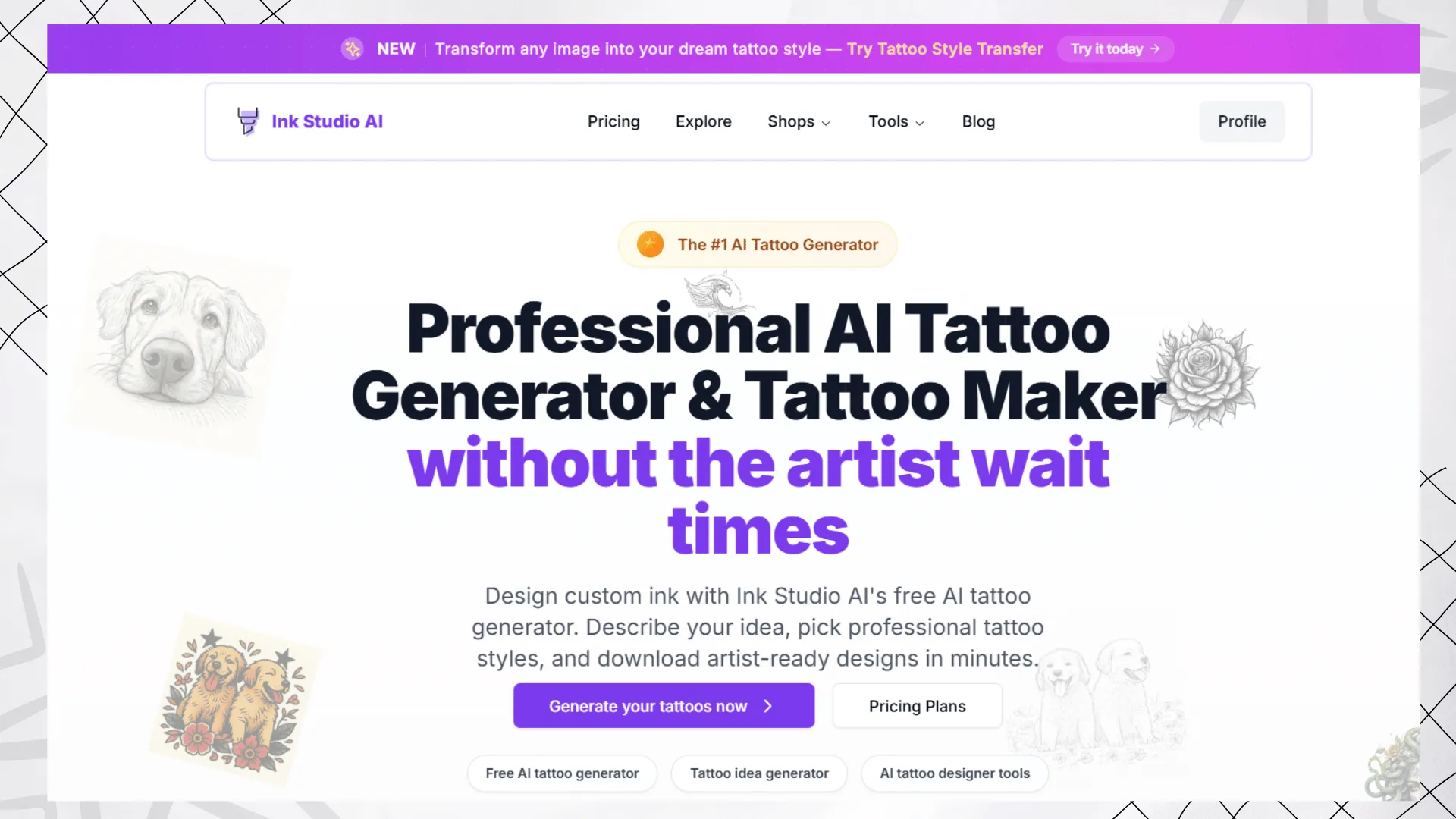
Ink Studio AI is a dedicated AI tattoo tool that focuses on tattoo ideas, image-to-tattoo conversions, style transfer, and tattoo visualization. It is positioned as a tattoo-specific platform rather than a general image generator.
One useful part of Ink Studio AI is its access pass pricing model. Instead of a recurring subscription, users can buy short-term access for a week, two weeks, or one month.
Pros
- Dedicated tattoo generation workflow
- Supports tattoo style transfer
- Offers short-term access passes
- Good for users planning one tattoo project
- No recurring charge unless another pass is purchased
Cons
- Short-term passes may not fit frequent long-term users
- Free access is limited
- Pricing can be less flexible than daily free tools
Pricing & Free Trial
Ink Studio AI currently offers Weekly, Bi-Weekly, and Monthly access passes. Current listed prices include $12.99, $16.99, and $23.99 depending on the access period.
11. TattoosAI — Best AI Tattoo Generator for Fast Inspiration
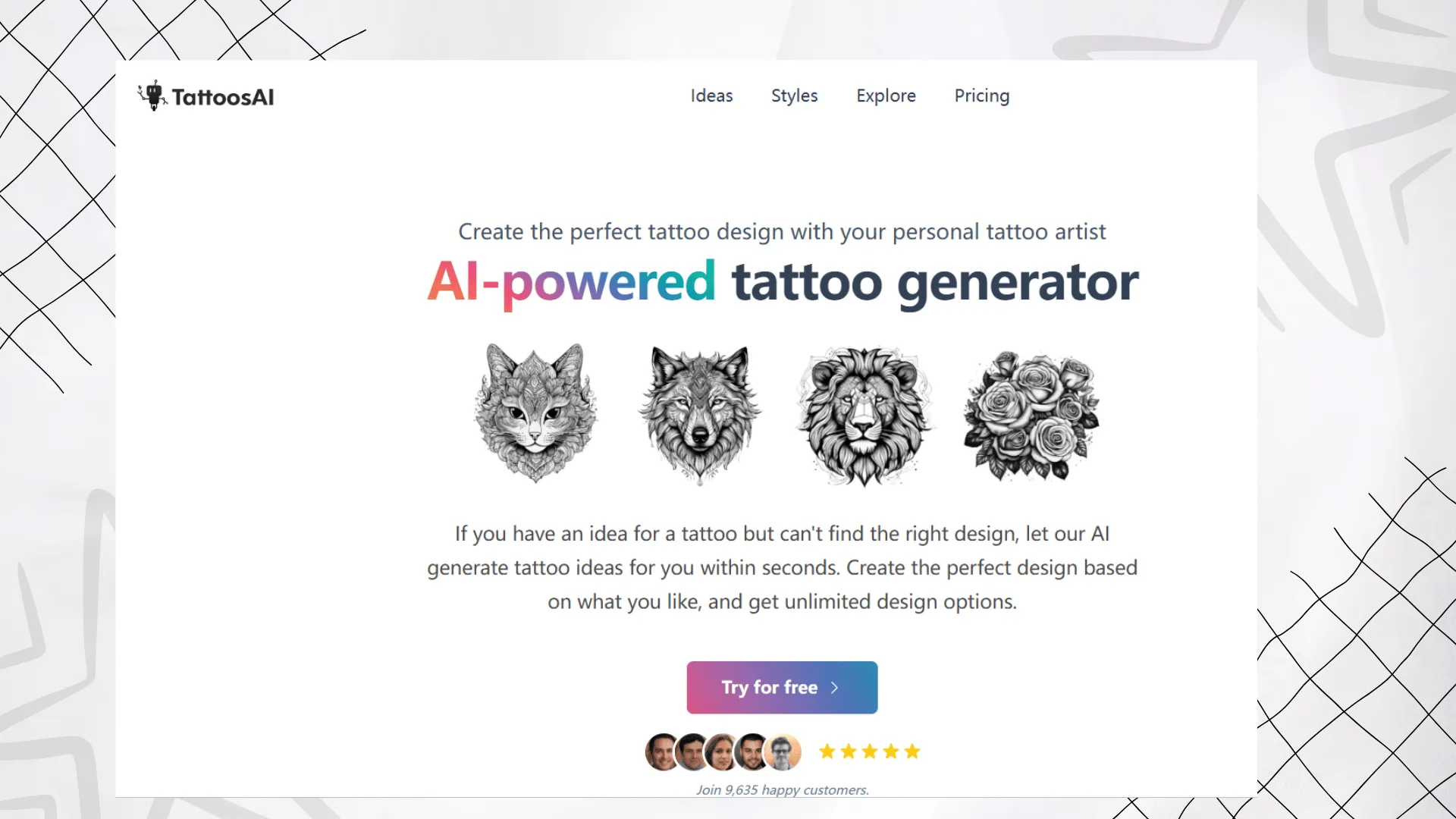
TattoosAI is a dedicated AI tattoo generator that helps users generate tattoo ideas from preferences and descriptions. It is simple, focused, and useful for people who want fast inspiration without learning advanced prompt writing.
The platform is especially helpful when you know the theme you want, such as a wolf, rose, lion, cat, skull, flower, or symbolic design, but need the AI to create variations.
Pros
- Focused on tattoo idea generation
- Simple user experience
- Good for fast inspiration
- Useful for first-time tattoo planners
- Generates multiple design options
Cons
- Less flexible than full creative suites
- May offer fewer editing controls
- Best results still need artist refinement
Pricing & Free Trial
TattoosAI offers free trial access and paid options for users who want more tattoo design generation. Pricing may change, so users should check the official pricing page before purchasing.
12. Canva AI Tattoo Generator — Best AI Tattoo Generator for Casual Users
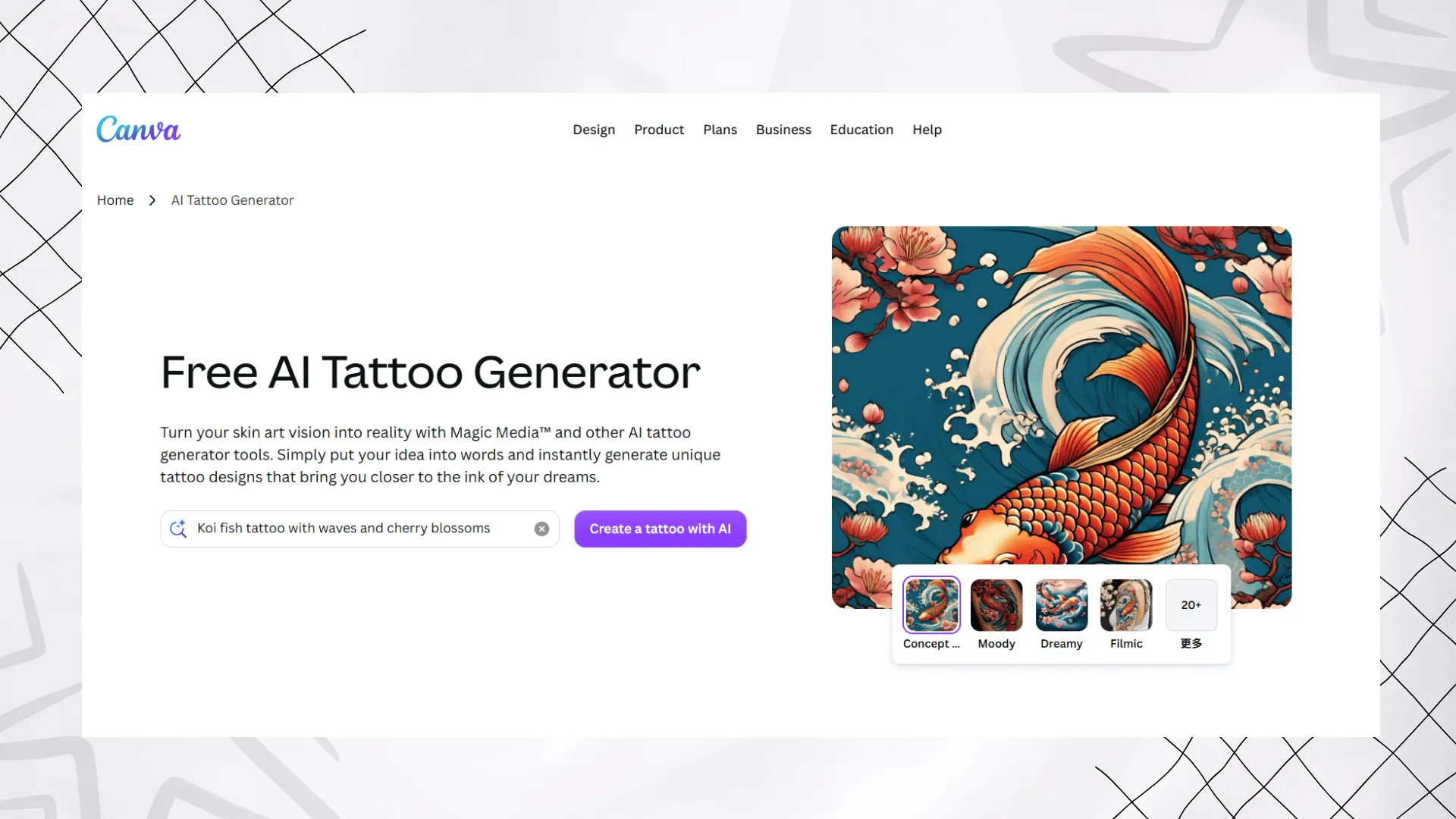
Canva AI Tattoo Generator is a good choice for casual users who already use Canva for design work. It can generate tattoo ideas from text descriptions and then place the output inside a larger design workflow, such as mood boards, social posts, posters, or presentation materials.
Canva is not a professional tattoo-specific platform, but it is convenient for beginners who want a simple and familiar interface.
Pros
- Easy to use
- Works inside Canva’s design ecosystem
- Good for mood boards and idea presentation
- Useful for casual tattoo inspiration
- Beginner-friendly interface
Cons
- Not specialized for tattoo artists
- Limited tattoo placement controls
- Less suitable for realistic skin preview
Pricing & Free Trial
Canva is a free-to-use design platform with optional paid upgrades. AI feature limits and premium options may vary depending on the user’s plan.
Which AI Tattoo Generator Should You Choose?
The best AI tattoo generator depends on what you want to do.
If you want a complete tattoo workflow, Tat Ink is the best overall choice because it combines tattoo generation, style selection, tattoo fonts, image to tattoo conversion, and virtual tattoo try-on.
If you want professional-quality concept art, Adobe Firefly is a strong choice, especially for users who already work in the Adobe ecosystem.
If you want a simple tattoo simulator, Fotor and Tatship are useful because they help you preview tattoos on the body.
If you want detailed placement previews and stencil support, BlackInk AI is a strong dedicated tattoo tool.
If you want general AI image generation for tattoo inspiration, Remaker AI, Getimg.ai, Imgkits, and iPic.ai can work, but they are less tattoo-specific.
How to Use tat.ink
Using tat.ink was surprisingly simple, and I appreciated that I didn’t have to be a tech expert to figure it out. Here’s how I personally use it step by step:
- Start with an ideaI usually begin with a concept — maybe “minimalist mountain” or “Japanese dragon sleeve”. The clearer the idea, the better the results.
- Choose how to generate
- If I want a design from scratch, I just type my prompt into the text box (ai tattoo generator from text).
- Sometimes, I play with fonts using the built-in tattoo font generator.
- Generate and refineWithin seconds, tat.ink shows me multiple tattoo designs. If I don’t like the first batch, I simply tweak the wording of my prompt, adding details like “fine line”, “blackwork”, or “geometric style” to refine the style.
- Try it onOne of my favorite parts is the virtual try-on. I can upload a photo of my arm or back and instantly see how the tattoo would look on my skin. This makes a huge difference in deciding whether a design feels right.
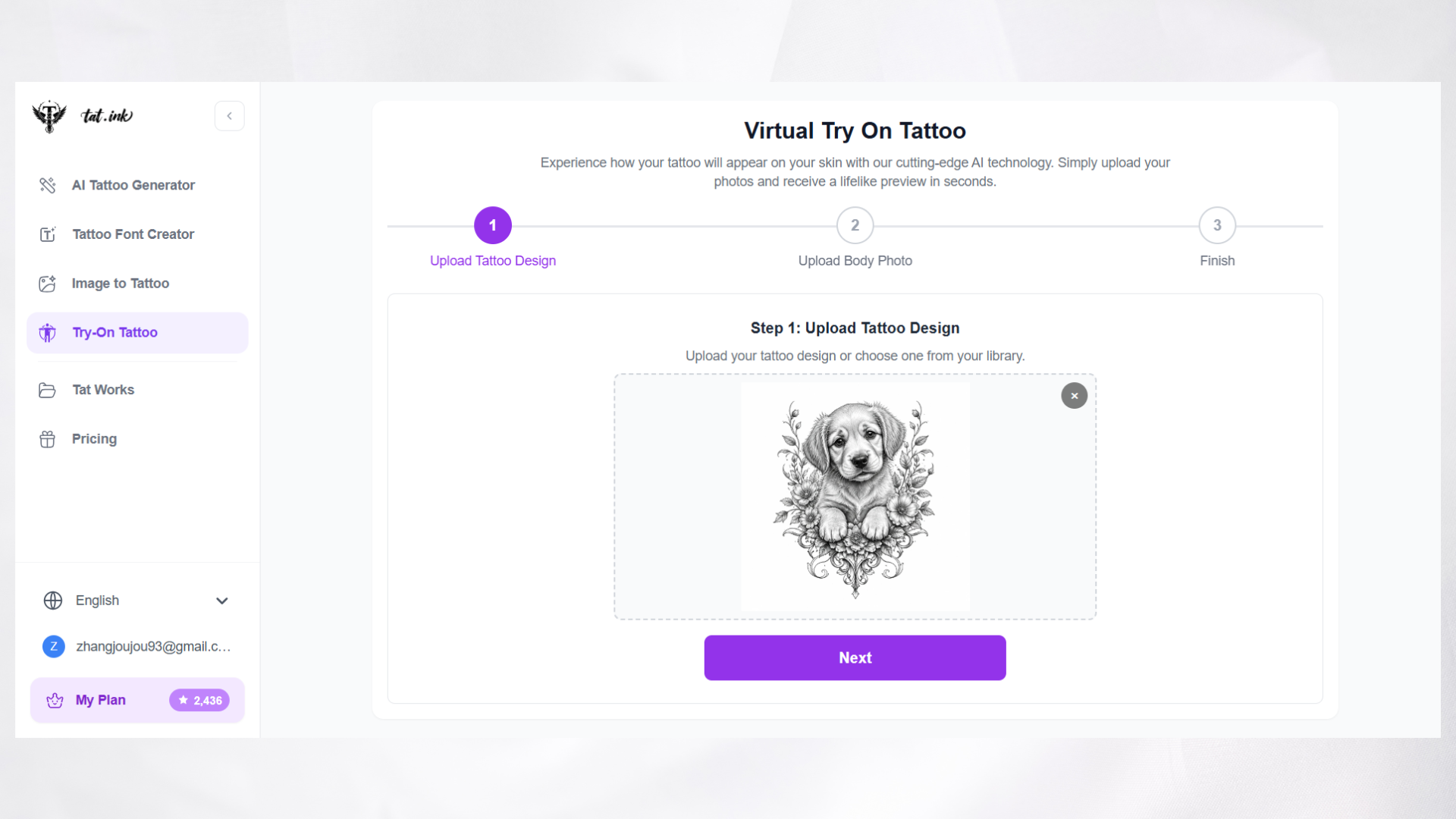
- Repeat without limitsUnlike other platforms, tat.ink doesn’t stop me after a few attempts. I can keep generating as many tattoos as I want, experimenting freely until I land on something I love.
What You Can Do with tat.ink
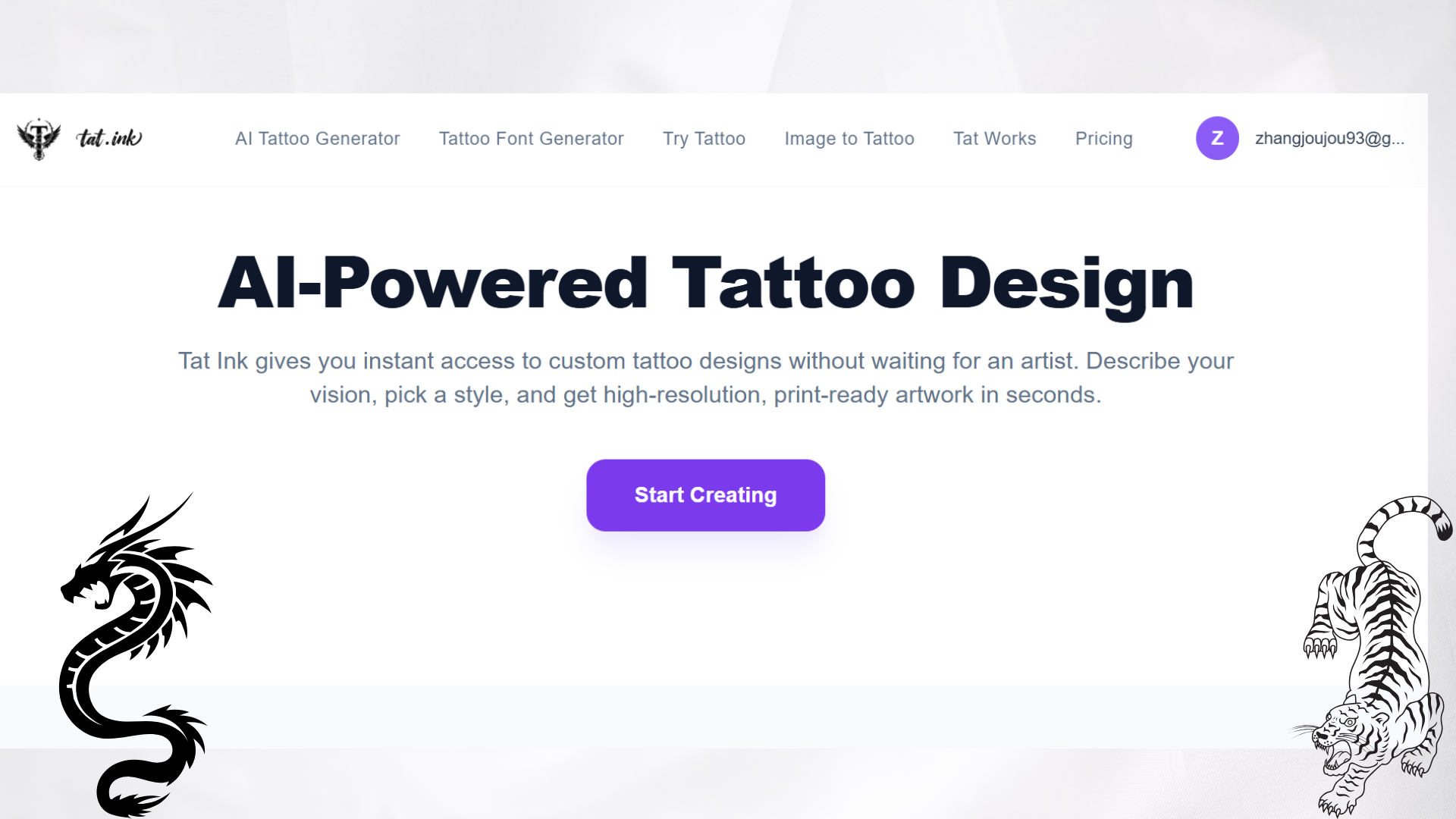
AI Tattoo Generator
With tat.ink’s free AI tattoo generator, I can transform any idea into a custom tattoo design in seconds. Whether it’s a fierce dragon, a delicate flower, or a symbolic animal, the AI creates original artwork from my text prompt (ai tattoo generator from text). I can experiment with a variety of artistic styles, including realism, minimalism, tribal art, surrealism, and blackwork. Best of all, generation is lightning-fast, and I can redraw endlessly until I find the design that fits me.
Features:
- Wide range of art styles (Realism, Minimal, Tribal, etc.)
- Instant generation in seconds
- redraws with prompt tweaking
- High-resolution downloads for printing or sharing
Tattoo Idea Explorer
Sometimes I get stuck without inspiration. That’s when I use the Tattoo Idea Explorer.It’s an AI-curated gallery where I can browse designs by theme, placement, style, or symbolism. I discover trending tattoo designs from around the world and save the ones I like.It feels like scrolling through a tattoo-specific Pinterest, but powered by AI.
Features:
- AI-curated inspiration by theme, mood, or placement
- Continuously updated with trending tattoo concepts
- Save, like, and collect favorite designs
- Great for remixing and personalization
AI Tattoo Font Generator
Text-based tattoos hold significant meaning, often featuring names, quotes, affirmations, or initials. tat.ink’s AI tattoo font generator allows me to quickly transform text into tattoo-ready visuals. I can explore over 20 font styles, ranging from gothic to cursive, tribal to minimalist. The system simulates natural curves and placement on the body for a realistic preview. It also supports multiple languages and symbols, making it perfect for personal or cultural expressions.
Features:
- 20+ tattoo-ready font styles
- Realistic placement simulation
- Multiple languages & symbols supported
- Style filters: grunge, bold, 3D, brush, etc.
Virtual Tattoo Try-On
One of my favorite tools is the virtual try-on. It lets me preview tattoos directly on my skin before committing.I upload a photo of my arm, shoulder, back, or leg. The AI overlays the tattoo realistically, with adjustable size, rotation, and opacity.I can share previews with friends or a tattoo artist to get feedback.
Features:
- Realistic tattoo overlay on body photos
- Scale, rotate, and move designs with precision
- Adjustable opacity for natural blending
- Save & share previews easily
Why I love tat.ink: Unlike other platforms with credit limits or hidden paywalls. I can experiment endlessly with text, photos, fonts, or virtual try-ons — the perfect creative playground for tattoo lovers.
Your FAQ On Free AI Tattoo Generators
Are AI tattoo generators really free in 2026?
Some AI tattoo generators are free to try, but most are not unlimited. Many platforms use daily free limits, free credits, trial generations, or limited basic features. If you need high-quality downloads, commercial use, saved history, or more generations, you may need a paid plan.
What is the best free AI tattoo generator?
Tat Ink is a strong overall option because it is built specifically for tattoo design and includes free daily generations, tattoo style selection, image-to-tattoo tools, tattoo fonts, and virtual tattoo try-on. Fotor is also useful for beginners who want quick design generation and body preview.
Can I use AI-generated tattoo designs for real tattoos?
Yes, but AI-generated designs should be treated as a starting point. Before getting the tattoo, show the design to a professional tattoo artist. They can adjust line thickness, spacing, shading, skin fit, and technical details so the design works better on real skin.
Can AI tattoo generators create designs from photos?
Yes. Some tools support photo-to-tattoo or image-to-tattoo workflows. You can upload a sketch, picture, or reference image and turn it into a tattoo-style design. Tat Ink, Fotor, and some general AI image tools support this kind of workflow.
Can I preview an AI tattoo on my body?
Yes. Tools with tattoo try-on or tattoo simulator features let you upload a body photo and preview the tattoo on areas such as the arm, wrist, chest, back, leg, or shoulder. Tat Ink, Fotor, BlackInk AI, and Tatship are useful options for tattoo preview.
Which AI tattoo generator is best for tattoo fonts?
Tat Ink is a good choice if you want tattoo-related lettering and font ideas because it includes tattoo font tools alongside its AI tattoo design workflow.
Can tattoo artists use AI tattoo generators?
Yes. Tattoo artists can use AI tattoo generators for early concept exploration, client communication, quick variations, and visual mood boards. However, the final tattoo design should still be refined by the artist to make sure it is technically suitable for real tattooing.
Are AI tattoo designs commercially usable?
It depends on the platform and plan. Some tools allow commercial use on paid plans, while others may limit free outputs. Always check the license terms of the tool you use before selling, printing, or using AI-generated tattoo designs for client work.
How to Get Better Results from an AI Tattoo Generator
AI tattoo tools work best when your prompt is clear. Instead of typing something broad like “dragon tattoo,” include details about style, placement, mood, linework, and color.
Example Prompt
“Minimalist blackwork dragon tattoo for forearm, clean line art, elegant curves, balanced composition, no background, tattoo stencil style.”
Prompt Tips
- Mention the tattoo style, such as minimalist, blackwork, Japanese, realism, watercolor, or traditional.
- Add the body placement, such as forearm, wrist, chest, back, shoulder, or thigh.
- Describe the mood, such as elegant, fierce, symbolic, romantic, dark, spiritual, or delicate.
- Specify linework, shading, color, or stencil style.
- Use reference images if the tool supports image upload.
- Always ask a tattoo artist to refine the final design before tattooing it on real skin.
Conclusion: Explore Limitless Designs with a Free AI Tattoo Generator
AI tattoo generators are no longer just fun idea tools. In 2026, they can help users create tattoo concepts, test different styles, convert images into tattoo references, generate lettering, and preview designs on real body photos.
For the best all around tattoo workflow, Tat Ink is the top recommendation because it focuses specifically on tattoo creation and includes daily free generations, AI tattoo styles, tattoo try on, and related tattoo tools.
No matter which tool you choose, remember that AI should help you explore ideas, not replace a professional tattoo artist. Use AI to find your direction, then work with an artist to turn the design into a tattoo that fits your skin, placement, and long term vision.
If you’re like me and want unlimited creativity without restrictions, I can’t recommend tat.ink enough. Start exploring your next tattoo design today with tat.ink and see just how far your ideas can go when the creativity is truly free.