
Try Before You Ink
Ink in Sync with Your Mind.
 Before
 After
AfterMy Ink
0Saved for 7 days without sign-in. Saved permanently after sign-in.
Total 0
No history yet. Start creating your first tattoo!
Virtual Tattoo Simulator: Try On Tattoos with Tat Ink
Ever wondered what your dream tattoo would look like on your body? With Tat Ink’s advanced Tattoo Simulator, you can virtually try on tattoos in just a few easy steps. Powered by smart AI, our tool delivers realistic tattoo previews that help you see your vision before it becomes permanent.

Preview your dream tattoo risk-free with our Virtual Tattoo Simulator
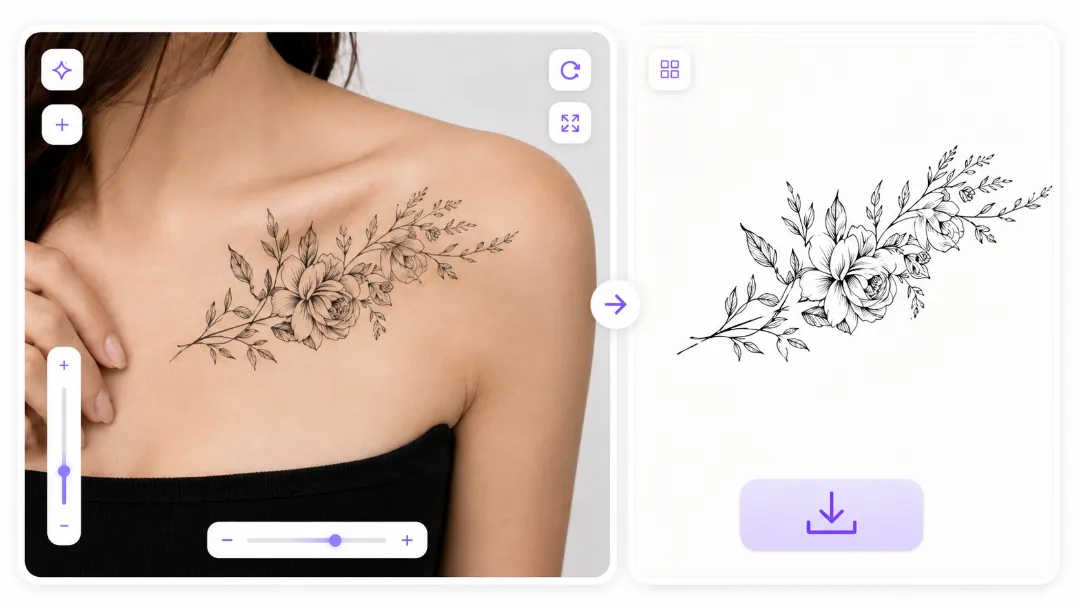
Snap a photo of your forearm, shoulder, collarbone, or the back of your hand — anywhere you're thinking about getting inked. Upload it, and the simulator overlays your design right onto your skin, reading your tone, lighting, and body contours automatically. No studio setup, no perfect lighting — just a clear shot from your phone. Whether it's your first tattoo or your tenth, you'll see exactly what it looks like before you commit to something permanent. No design yet? Create one with the tattoo generator first, then come back and try it on.
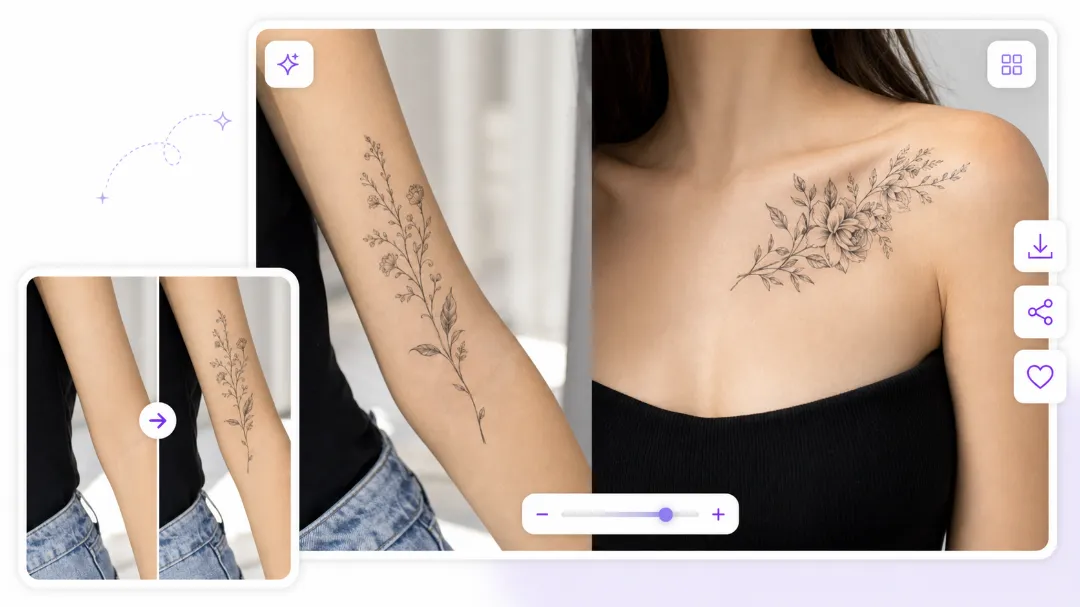
Utilize the Tattoo Simulator to enhance consultations
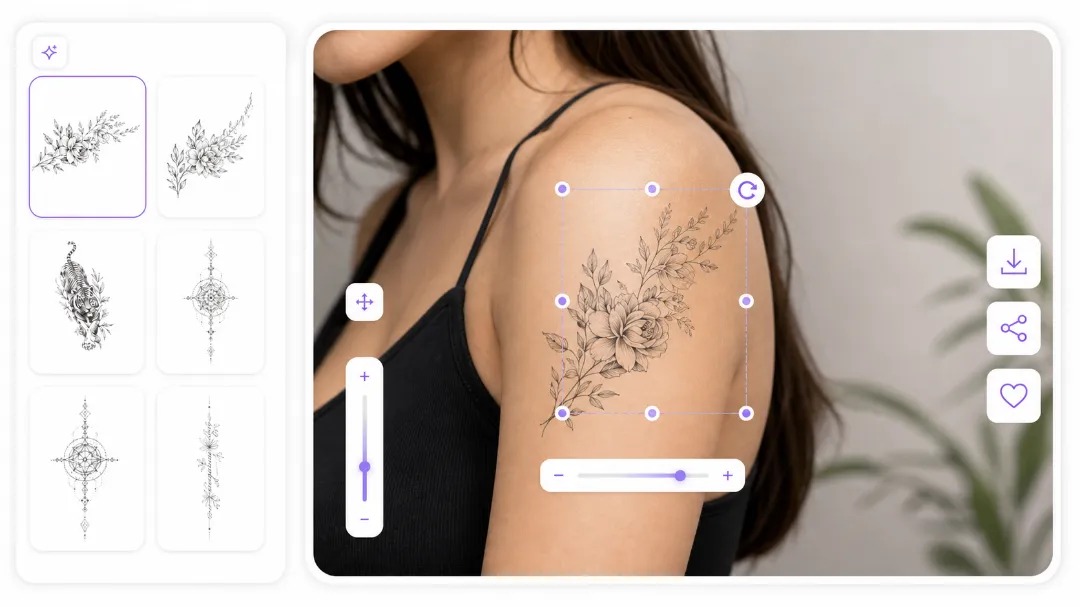
A tattoo isn't just about the design — it's about where it sits and how it fits your body. Drag it into place, scale it up or down to real-world size, rotate it to follow the natural lines of your arm or ribcage. Every adjustment updates the preview instantly, so you can try five placements in two minutes instead of guessing at the shop. Artists use this during consultations to show clients exactly how a piece will sit — adjust on the fly, skip the back-and-forth, and walk into the session on the same page. Got a reference photo you want to test? Run it through the image to tattoo converter and place it with the same precision.
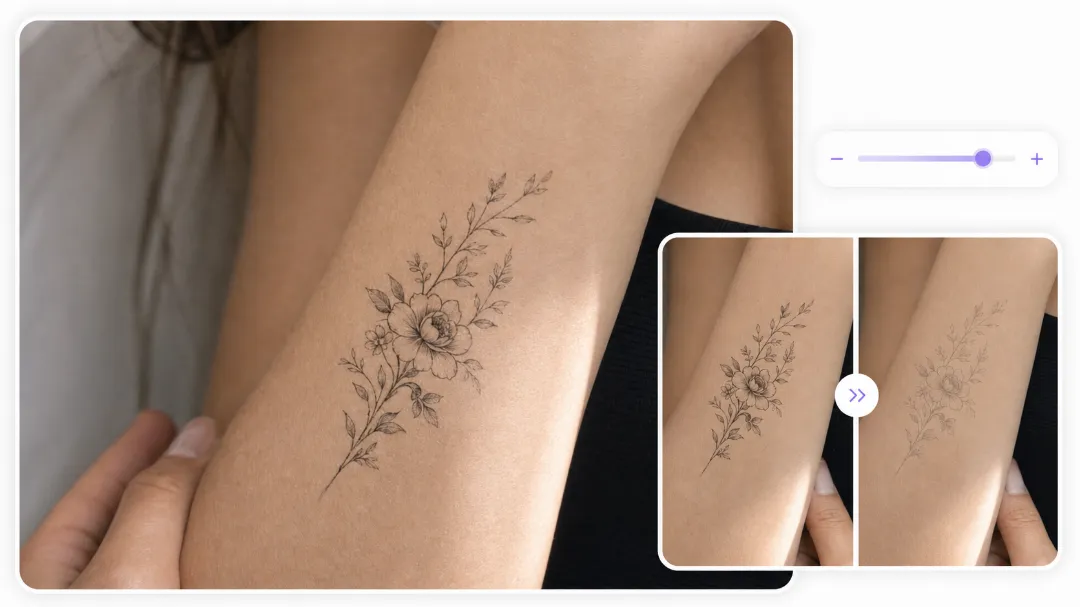
Generate stunning virtual tattoo previews to share on social
A real tattoo isn't a flat sticker — it sits in your skin, affected by tone, texture, and the way light hits it. The opacity slider lets you dial in how the design blends with your skin, so the preview looks like ink, not a Photoshop layer. Push it full strength for bold blackwork, or dial it back to see how a delicate fine-line piece would settle into lighter skin. Covering an old piece? Preview an AI tattoo cover up the same way — blend the new design right over the old one on your body photo and see if it actually hides it before you book the appointment.
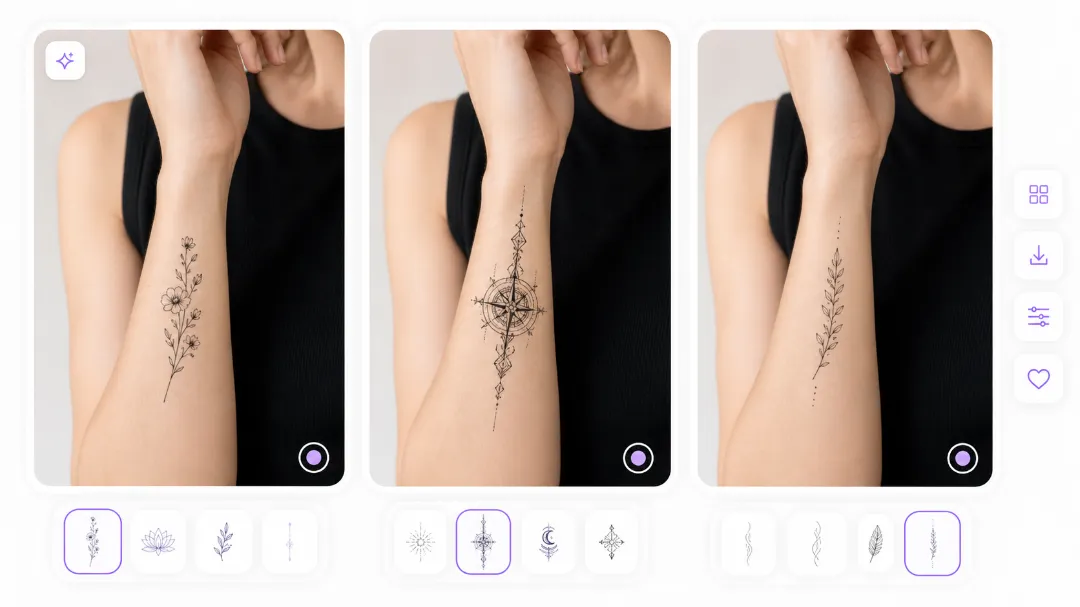
Compare Designs, Styles, and Lettering Before You Decide
The simulator isn't a one-and-done tool — upload your photo once and try as many designs as you want. Swap a tribal armband for a fine-line floral, test a minimalist symbol against a bold realism piece, or pull from the built-in gallery when you're short on ideas. See how the same quote looks in different fonts at real size on your wrist — not all lettering survives the needle at small dimensions, and the preview shows you which styles hold their shape and which blur. Testing a name or quote? Grab a style from the tattoo fonts generator first, then bring it here to try on.
From Virtual Tattoo Try-On to Stencil — Ready for Your Artist
When the placement looks right and the preview feels like the real thing, download it in high resolution and put it to work. Send it to your artist so they see exactly what you want — not a vague description you both have to interpret. Post it on Instagram and see what people think before the needle, or share it with a friend for a second opinion. Happy with the placement? Use the tattoo stencil generator to turn it into a clean, traceable stencil your artist can work from directly — no back-and-forth, no guesswork, no walking in unprepared.
How to Try on Tattoo Designs – Step by Step

Add Tattoo Design
Upload your design or choose from our virtual tattoo gallery including styles like realism, tribal, floral, and more.

Upload Your Body Photo
Use a clear, natural-light image of your chosen body part. The Tattoo Simulator detects contours and skin tone automatically.

Place & Customize
Drag, rotate, and resize your design to find the ideal placement. Try multiple versions with ease.

Preview in Realistic Detail
Our Tattoo Simulator uses AI-powered skin blending for previews that look stunningly real.

Save or Share
Download high-resolution tattoo previews to take to your artist or share with friends.
Why Choose Tat Ink's Tattoo Simulator?
AI-Powered Accuracy
Our Tattoo Simulator uses AI to analyze your skin tone, contours, and lighting for ultra-realistic tattoo previews.
Instant Tattoo Preview
Try on tattoos virtually in seconds—no appointments, no skills, just instant results.
High-Quality Output
Download high-resolution virtual tattoo mockups perfect for sharing or bringing to your artist.
Private & Secure
All images are encrypted and never stored, keeping your tattoo try-on experience fully private.
True-to-Skin Rendering
Our tattoo simulator blends your design naturally with skin texture, shadows, and tone for a lifelike preview.
Flexible Tools for All Users
Easily place, rotate, and resize tattoos on any body part with our intuitive Tattoo Simulator.
Generate Unique Tattoo Designs with Our AI Tattoo Simulator
Are you unsure about which tattoo design suits you best? Our Tattoo Simulator is here to help you create one-of-a-kind virtual tattoos tailored to your taste. Whether you prefer fine-line florals, bold tribal art, geometric sleeves, or realistic portraits, our AI tattoo generator produces designs that reflect your vision and style.

Old School Tattoo

New school Tattoo

Japanese Tattoo

Tribal Tattoo

Illustrative Tattoo

Realism Tattoo

Heart Tattoo

Joker Tattoo

Phoenix Tattoo

Butterfly Tattoo

Dragonfly Tattoo

Archangel Michael Tattoo

Mythological Tattoo

Tiger Tattoo

Forearm Tattoo

Back Tattoo

Rose Tattoo

Shoulder Blade Tattoo
What Users Say

"The Tattoo Simulator was amazing! I didn’t have to be an artist to come up with a cool virtual tattoo idea. I simply described what I wanted, and the AI generated designs that were spot on. It made trying on tattoos fun and super easy!"


Frequently Asked Questions
Ready to Try On Your Tattoo?
Don't just imagine your tattoo—see it on your body now. Whether you're exploring styles or finalizing your dream ink, our Virtual Tattoo Simulator makes it simple, fast, and free.