logo

Font Tattoo Generator

Turn your words into a unique typographic tattoo design in seconds.

Style Preview

My Ink

0

Saved for 7 days without sign-in. Saved permanently after sign-in.

No history yet. Start creating your first tattoo!

Tattoo Font Generator

Tattoo Font Generator: Create Unique Tattoo Lettering Instantly

Transform your tattoo ideas into reality with our Tattoo Font Generator. Craft personalized lettering styles effortlessly and explore a wide range of tattoo fonts to bring your designs to life. Whether you're looking for classic, elegant scripts or edgy, modern typography, our tool helps you visualize your tattoo text in no time.

AI Tattoo Generator

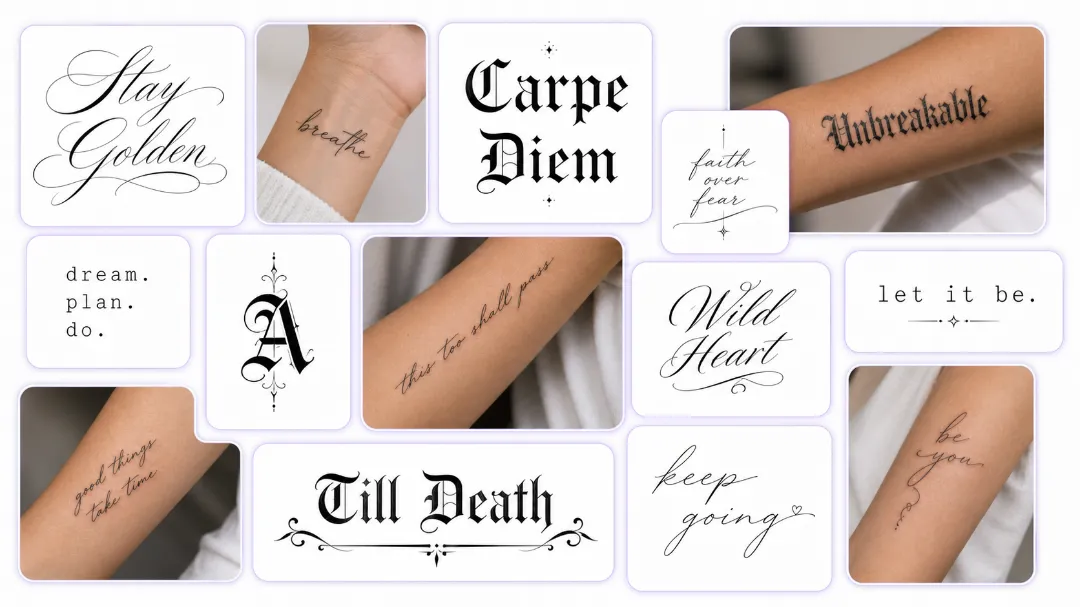
Explore 20+ Tattoo-Ready Font Styles with Our Free Tattoo Font Generator

Type in a name, a date, or a line that means something, and flip through more than 20 tattoo-ready styles — clean script, bold old English, minimalist typewriter, delicate fine line, heavy blackletter, cursive. Each one renders the moment you click it, so you can compare lettering side by side without committing to anything. Some fonts look great on a screen but fall apart at two inches; the preview shows you which ones hold their shape on real skin. It's free, no sign-up wall, and works just as well on your phone as on your laptop. Want the full design around your word instead of just the letters? Use the tattoo maker to build the complete artwork around it.

Explore 20+ Tattoo-Ready Font Styles with Our Free Tattoo Font Generator

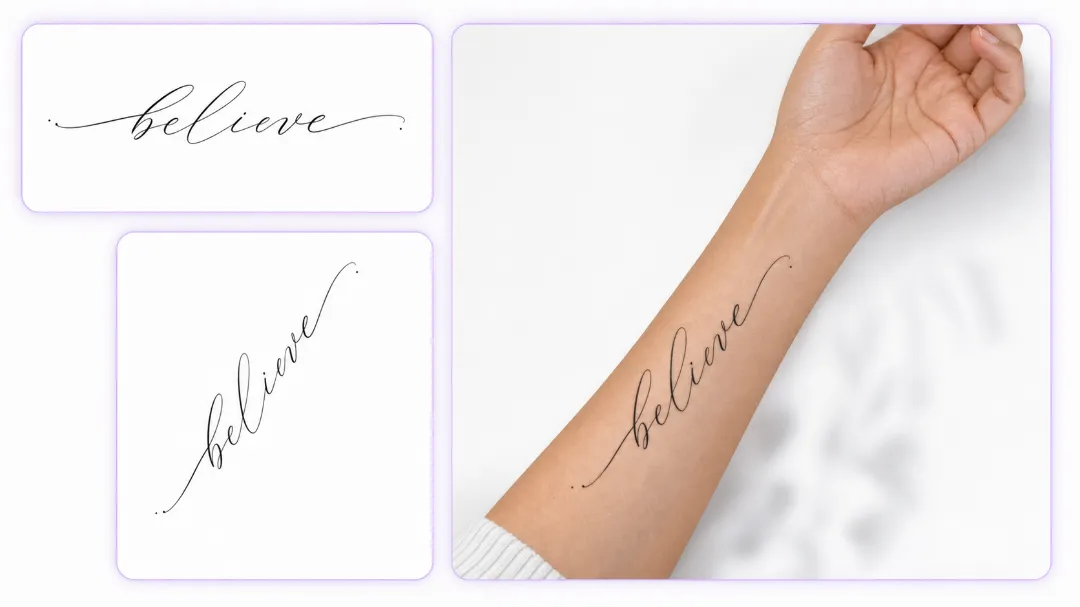
See How Your Tattoo Font Curves and Fits on Real Skin

Lettering doesn't sit flat on skin — it wraps. A name on your wrist curves with your wrist. A quote along your ribs follows your ribcage. A collarbone piece breaks across the bone instead of staying in a straight line. On a flat screen you can't tell if a font is too big, too small, or sitting at the wrong angle. Not sure about the size? See the font on your arm with try on tattoo — drop it on your photo, scale it to real-world size, and check how the lettering actually sits before you book the appointment. A one-word forearm piece looks completely different at two inches than at four, and this is where you find out.

See How Your Tattoo Font Curves and Fits on Real Skin

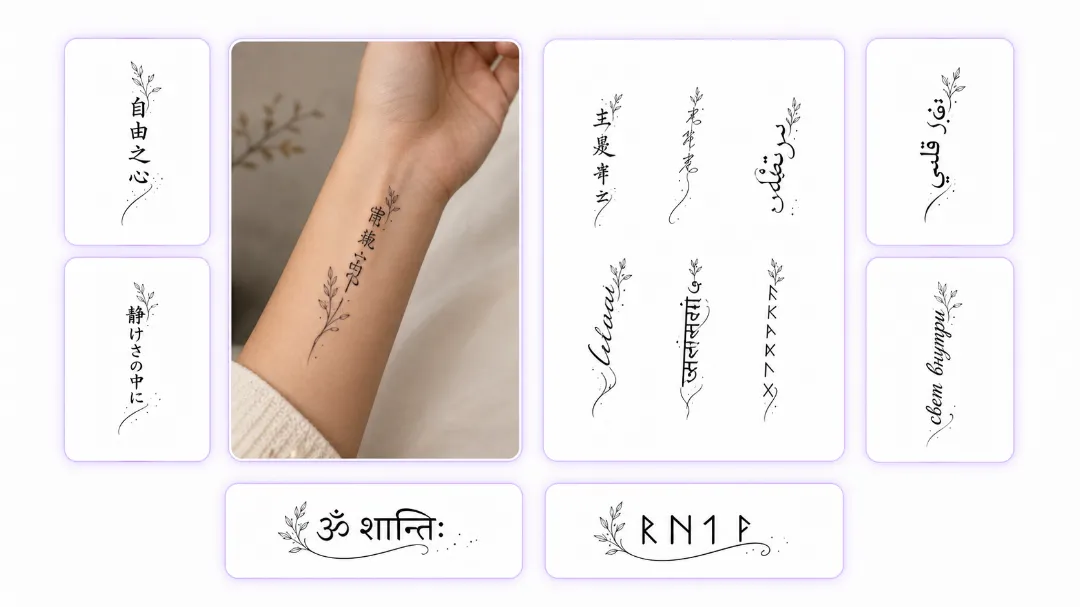
Tattoo Text in Any Language and Symbol System

Chinese characters, Japanese kanji, Arabic calligraphy, Cyrillic, Sanskrit, runes — whatever writing system your idea lives in, it renders accurately at tattoo scale. No broken strokes, no missing diacritics, no characters that look fine on screen but blur into mush on skin. Short foreign phrases and dates are made for gap-filling too: gaps around your main piece? Use lettering as tattoo filler, and words in any language fill the space beautifully. And when the text you're replacing is old ink, the new lettering has to hold its own against what's underneath — add fresh text with a tattoo cover up generator that matches your style.

Tattoo Text in Any Language and Symbol System

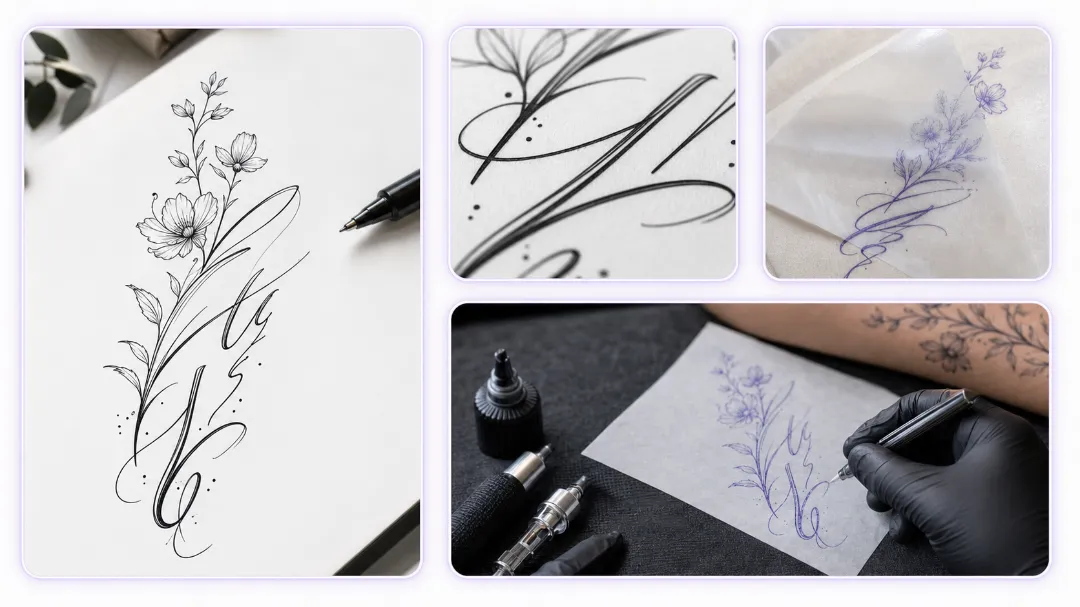
From Screen to Skin — Turn Your Text into a Tattoo Stencil

The whole flow takes about a minute: type your text, pick the style, and copy it anywhere — or download the high-res version for the shop. Use it in an Instagram bio, a status, or a design draft; the lettering stays crisp at any size, so it holds up on screen and in print. But when it's for real ink, don't stop at a screenshot — turn your text into a stencil your artist can trace, so the size, spacing, and line weight arrive at the shop exactly as you chose them. That's the difference between hoping and knowing.

From Screen to Skin — Turn Your Text into a Tattoo Stencil

Social Media Presence

Tattoos and Digital Art

Tat Ink Tattoo Font Generator showing "Paradise" tattoo on arm.

For tattoo enthusiasts and professionals, our Tattoo Font Generator is ideal for exploring and previewing designs. With a wide range of tattoo-style fonts, from minimalist to bold or cursive, you can easily create the perfect tattoo design.

Messaging and Bios

Tat Ink Tattoo Font Generator used in Instagram post design.

Add personality to your bios, status updates, and messages with our Tattoo Font Generator. Choose from a variety of unique tattoo fonts for quotes, mantras, or profile text. Whether on Instagram, Facebook, or other platforms, a custom font can make your words stand out and give your digital presence a more creative, personal touch.

How to Use Our Tattoo Font Generator?

  • 1

    Enter Text

    Input your desired text into our generator to begin the design process.

  • 2

    Choose Your Style

    Browse through a wide selection of tattoo fonts. Pick the one that best suits your vision—whether it's a bold statement or a subtle script.

  • 3

    Copy & Paste

    Once you've found the perfect style, simply copy your tattoo text and paste it wherever you need, whether it's on social media, in a bio, or for tattoo design purposes.

How to Use Our Tattoo Font Generator?

Why Choose Our Tattoo Font Generator?

User-Friendly Experience

Our Tattoo Font Generator is designed to be simple and intuitive, making it easy to generate tattoo fonts on any device. Whether you're using a desktop or mobile, you can create custom tattoo fonts anytime, anywhere, with no hassle.

Extensive Font Selection

With our Tattoo Font Generator, you have access to a wide variety of font styles, ranging from classic cursive to modern block letters. No matter your style or preference, you'll find the perfect font to suit your tattoo design.

Free & Instant Access

Our Tattoo Font Generator is completely free to use with no hidden fees. You can instantly generate custom tattoo fonts and start working on your designs without any cost.

Privacy Assured

We value your privacy. Our Tattoo Font Generator doesn't store or share your data, ensuring that your designs and personal information remain secure and private.

High-Quality Output

Our Tattoo Font Generator produces high-quality, professional fonts that are ideal for tattoo designs and digital projects. Whether you're collaborating with a tattoo artist or creating digital art, you can trust the tool to generate crisp, clear lettering.

Instant Preview

Our tool offers an instant preview of your tattoo design, allowing you to see how your chosen font looks with your text. This feature enables you to quickly evaluate how the tattoo font will appear in your final design, helping you make decisions faster.

User Testimonials

User avatar
Mark J.

"This tool helped me find the ideal font for my social media posts. It was quick, and the Tattoo Font Generator offered a lot of options. The fonts helped my posts stand out, and I've received many compliments. Highly recommend it!"

Frequently Asked Questions (FAQ)

To use the Tattoo Font Generator, simply enter your text, browse through the available tattoo fonts, select the one that fits your style, and copy the result to use across social media, tattoo designs, or personal projects.

Start Creating Your Tattoo Design Today!

Ready to transform your ideas into beautiful tattoo lettering? Dive into our Tattoo Font Generator now and start crafting your dream design. It's free, easy, and instantly satisfying—your perfect tattoo is just a few clicks away!