Choose a Tattoo Theme
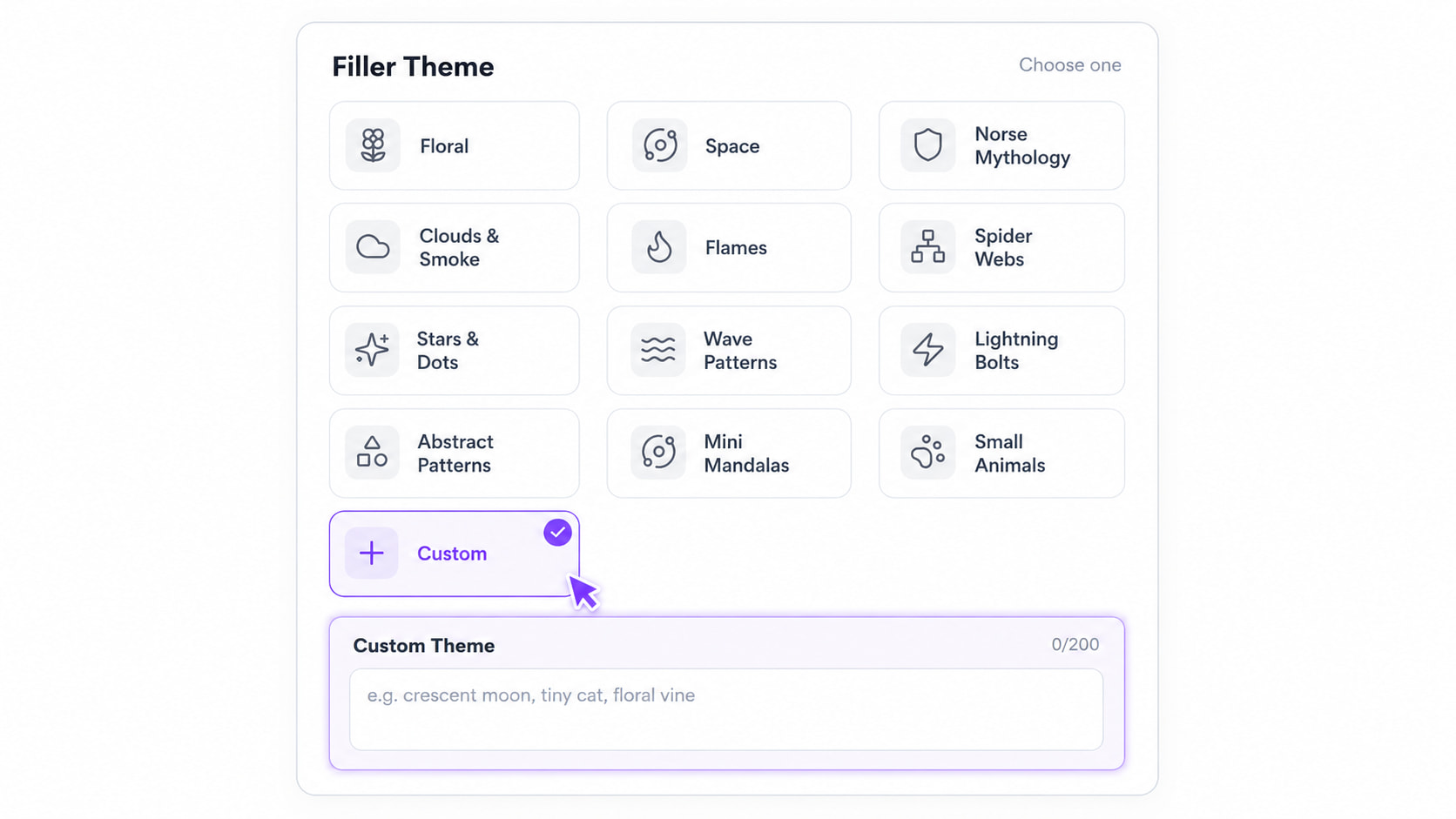
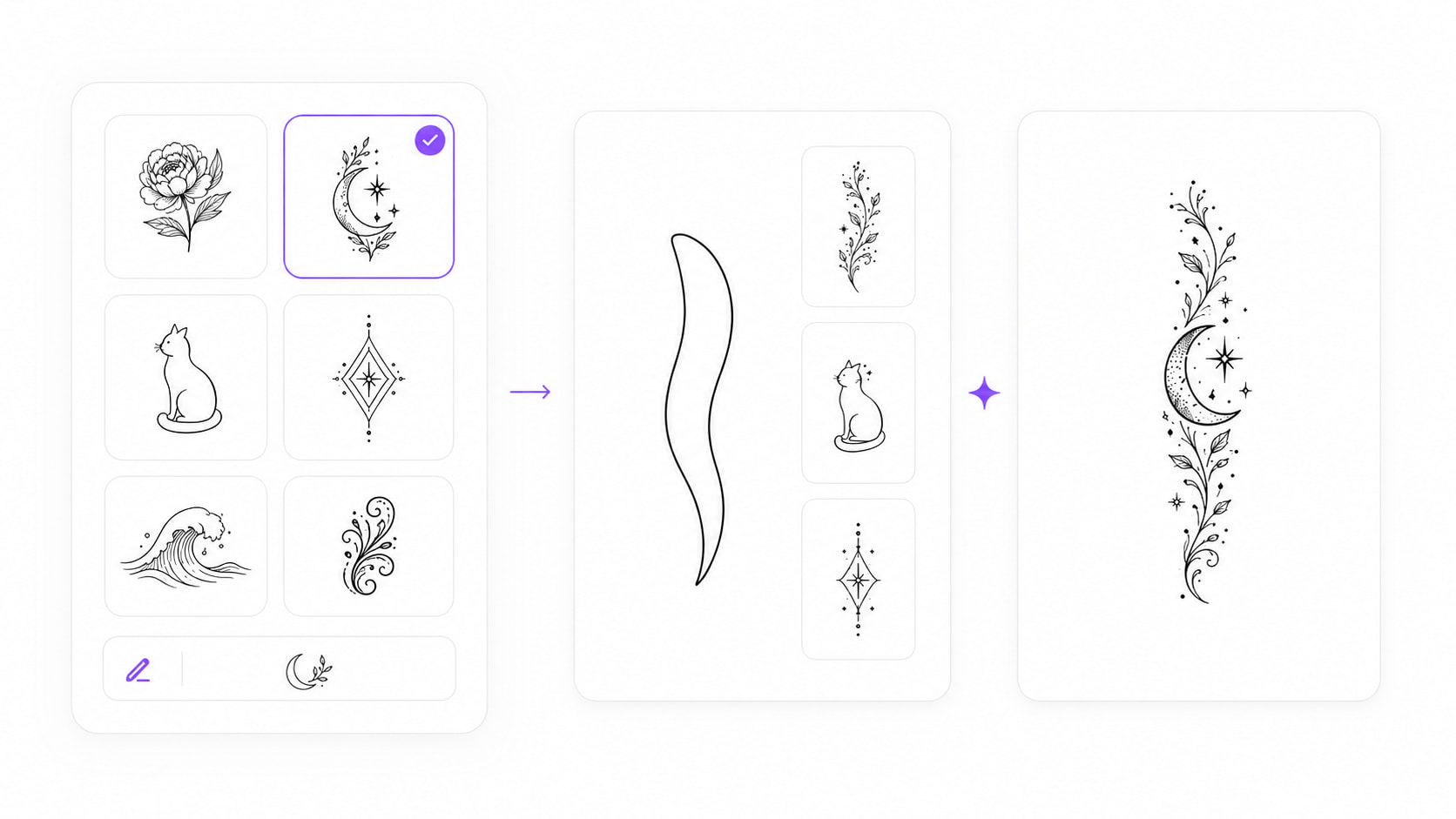
Select a preset theme or choose Custom to describe the subject, symbol, or elements you want in your tattoo filler.

AI Tattoo Filler Generator
Draw any gap and generate a custom filler tattoo that fits its exact shape.
My Ink
0Saved for 7 days without sign-in. Saved permanently after sign-in.
Total 0
No history yet. Start creating your first tattoo!
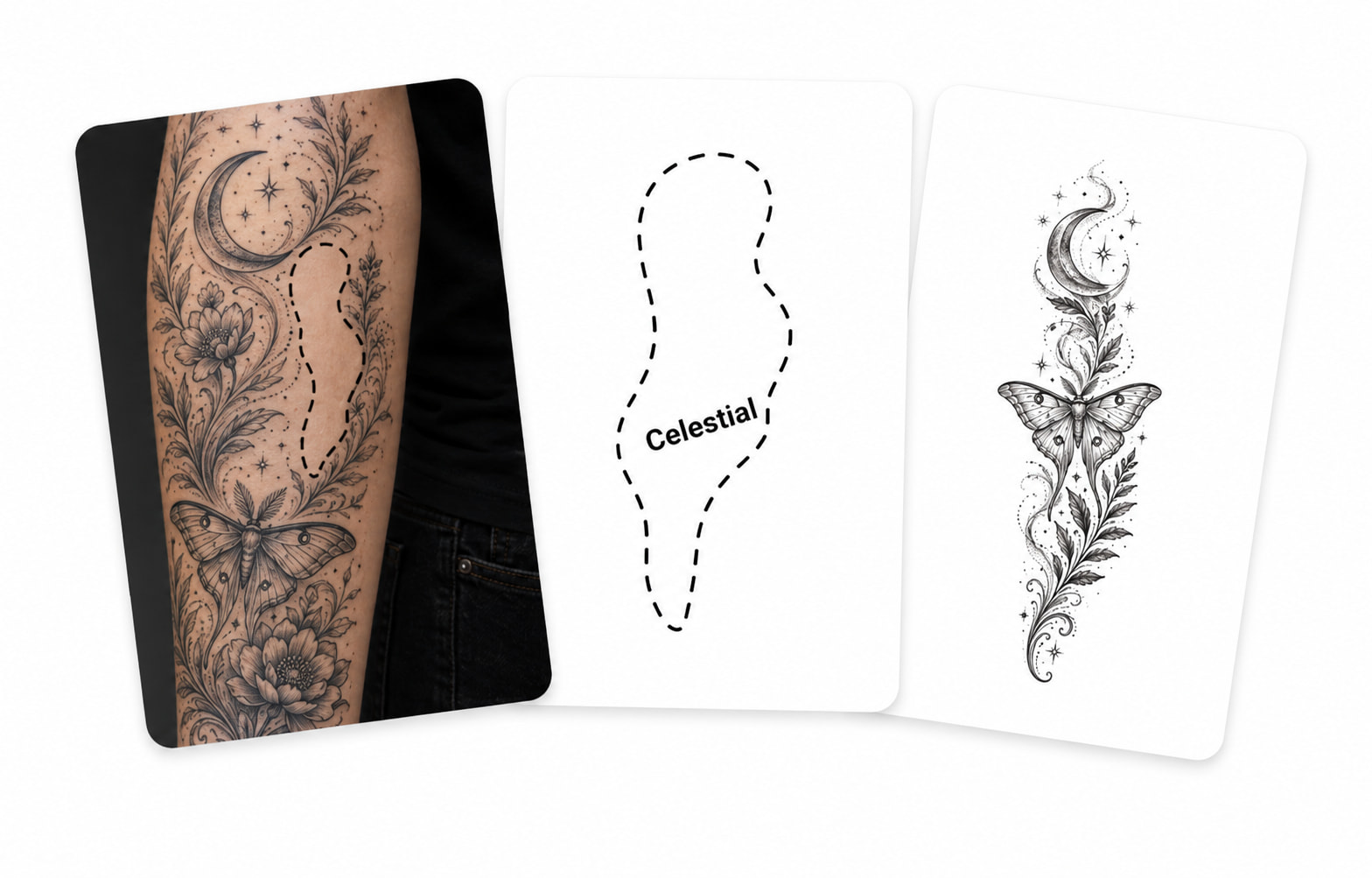
Choose a theme, draw the gap shape, and select a style. Our AI tattoo gap filler generator creates a custom tattoo design that matches your existing ink.
Empty spaces between existing tattoos can be difficult to fill with a design that feels intentional. Our AI tattoo gap filler generator lets you choose a theme, draw the shape of the space, and create a custom tattoo design that works for sleeve gaps, patchwork layouts, and other unfinished areas. Building a bigger piece? Pair your filler with an AI tattoo generator design.
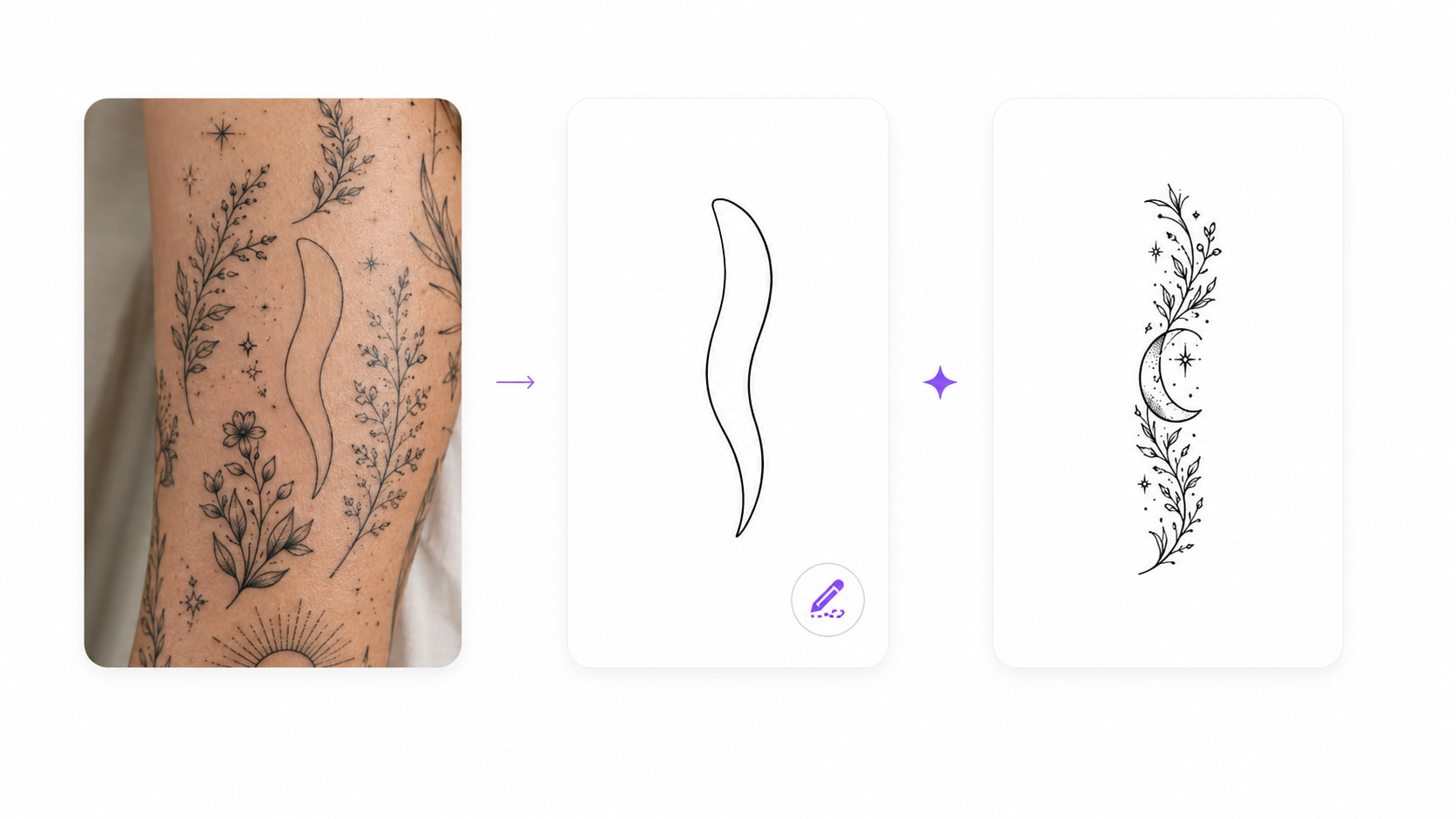
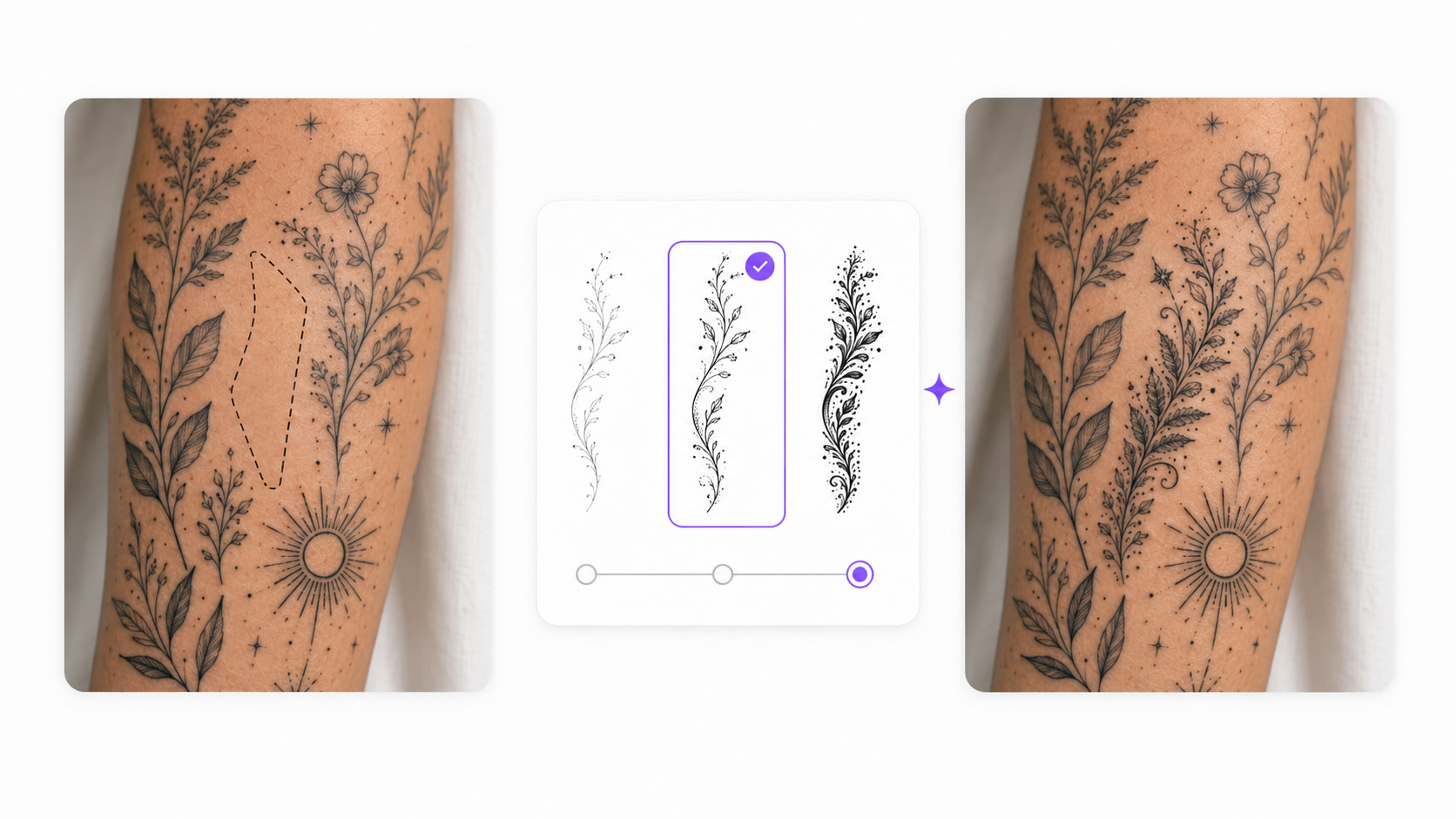
A tattoo filler that looks great on a square canvas can still sit wrong on your arm — real gaps aren't square. That awkward sliver between your elbow piece and the one above it? Sketch exactly that. Click Start under Filler Shape, draw the gap with the brush — narrow, curved, triangular, or flat-out irregular — and adjust the brush size when the corners get tight. Made a stray stroke? The eraser and undo have you covered. The generator then builds the design around that exact outline, so every idea you get is one you can actually place between your current tattoos, not one you'd have to force in.
Finding the right tattoo filler idea is often harder than choosing the style. Start with a preset theme such as floral, animal, celestial, or geometric, or select Custom to describe a specific idea like a crescent moon, small cat, meaningful number, or decorative vine.
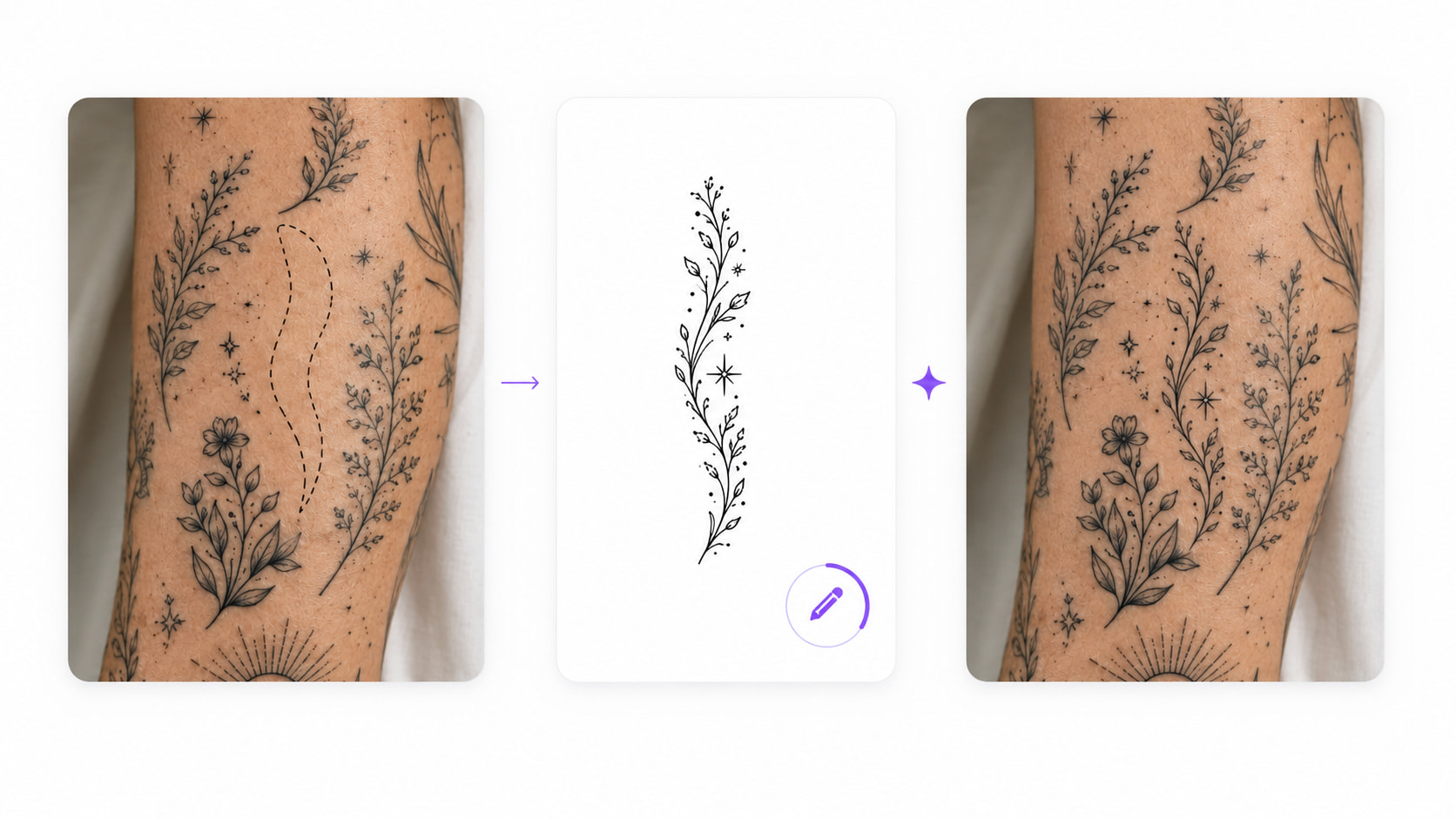
A filler can be beautiful on its own and still feel wrong on the arm — usually because its line weight or level of detail clashes with the neighbors. Two controls fix that. First, pick a style that echoes your existing ink: fine line, minimalist, blackwork, traditional, or geometric. Then dial the complexity. A tight gap between delicate pieces wants a clean fine-line symbol; a larger space next to heavy work can hold a detailed blackwork or traditional filler. One honest note: the tool doesn't scan your tattoos — you know your ink better than any AI, so pick the settings that mirror it. When they look right, download the design and see it for real: tattoo try on shows how the filler sits inside the actual gap before you take it to your artist.
3 Simple Steps
Select a preset theme or choose Custom to describe the subject, symbol, or elements you want in your tattoo filler.
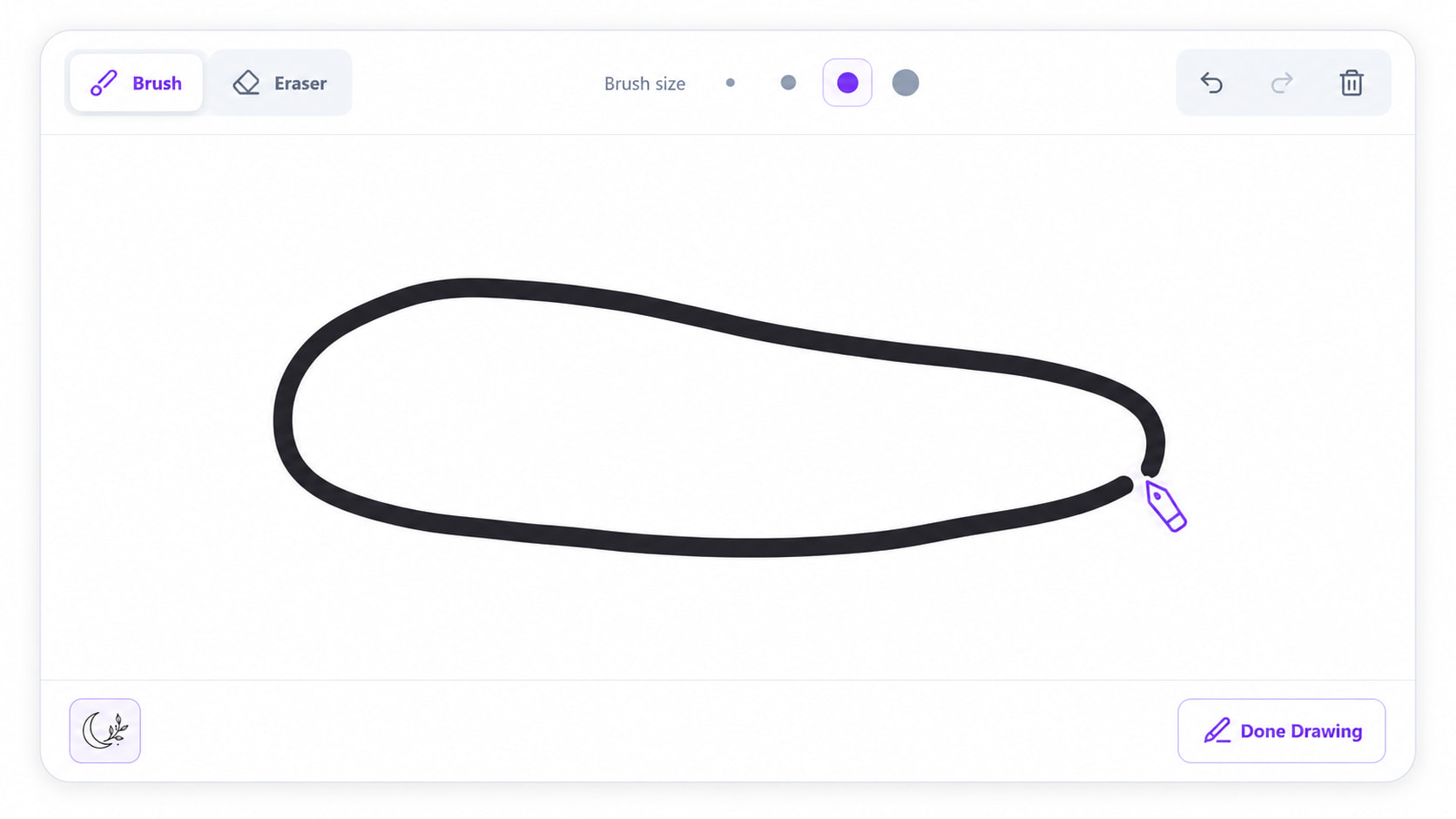
Click Start to open the drawing board, then use the brush to sketch the shape of the space you want to fill. Adjust the brush size, use the eraser, or undo strokes until the outline looks right.
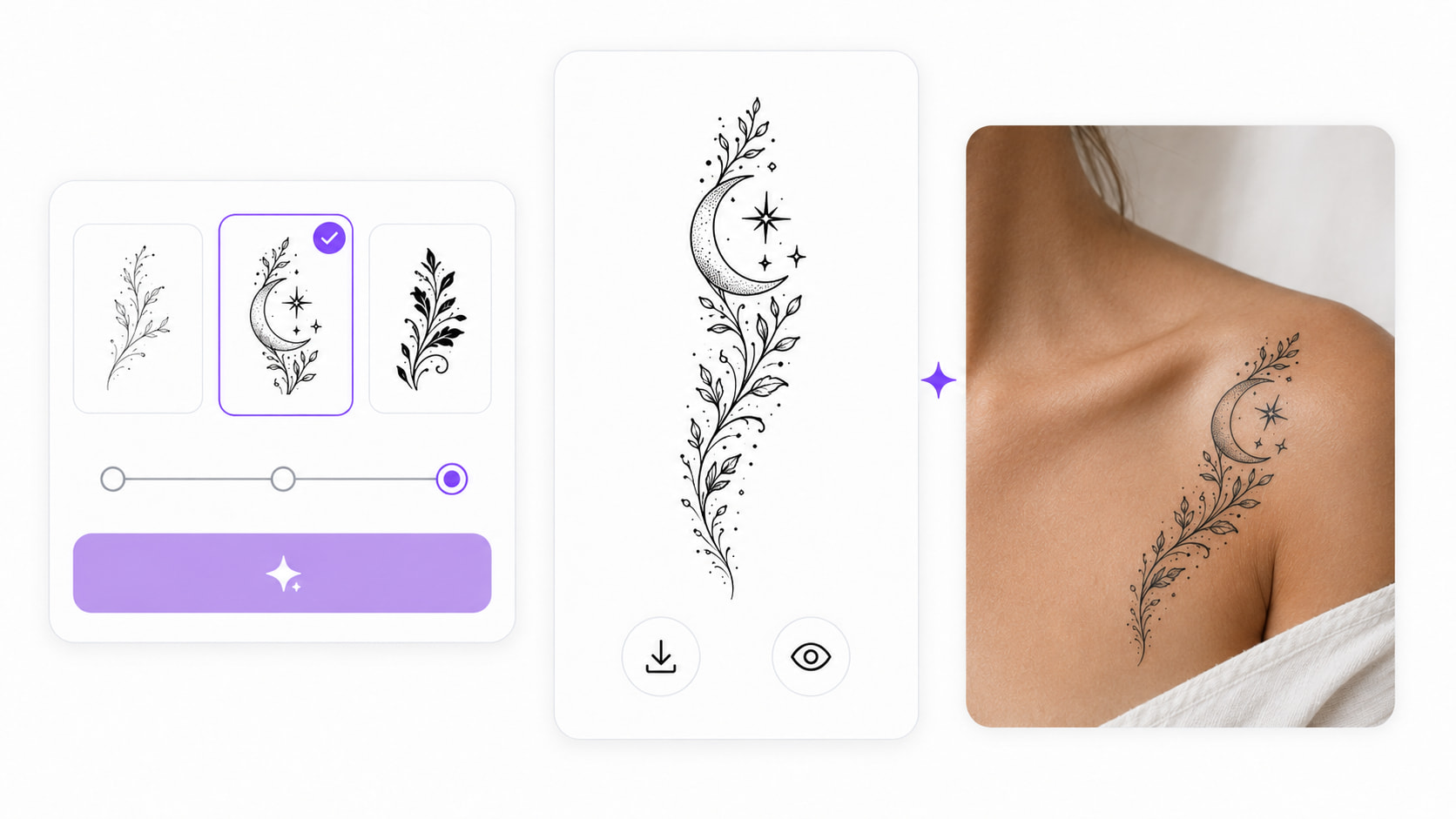
Choose a style and complexity, then generate your custom tattoo design. Download the result or preview it with Tattoo Try-On.
Create a custom-shaped tattoo filler that connects nearby elements without making the sleeve feel unnecessarily crowded.
Generate small tattoo filler ideas that complement the collection while allowing each original tattoo to remain visually distinct.
Draw the available space and explore compact ideas such as stars, leaves, symbols, flowers, or small animals.
A carefully shaped filler tattoo can soften the transition and make the overall arrangement feel more cohesive.
By drawing the exact area first, you can generate tattoo gap designs for curved, pointed, narrow, or asymmetrical spaces.
Decorative elements such as smoke, flames, dots, leaves, stars, and geometric details can add texture and help bring separate tattoos together.
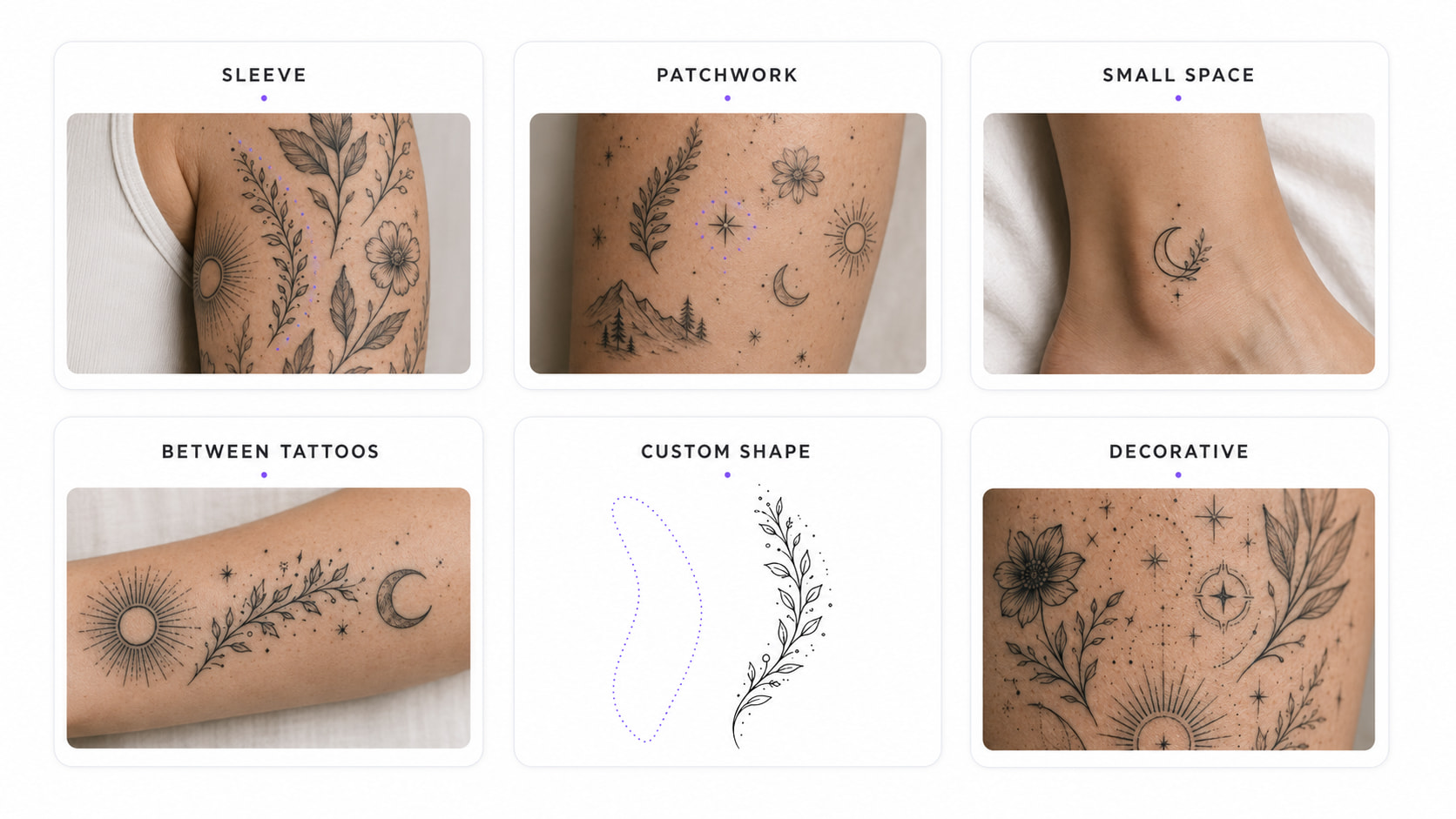
Tattoo gaps are rarely perfect circles or rectangles. Draw the space yourself so the generated design can follow a more realistic outline.
Use a preset theme when you want quick inspiration, or describe your own tattoo filler when you already have a particular subject, symbol, or meaning in mind.
Explore fine line, minimalist, blackwork, traditional, geometric, and other tattoo styles to find a visual direction that complements the ink you already have.
Some gaps need a simple symbol, while others can hold more detail. Adjust the complexity to control how minimal or intricate the generated tattoo design should be.
The first idea may not be the best fit. Try different themes, styles, and complexity levels to compare several tattoo filler ideas before choosing a direction.
It can be hard to judge a tattoo design on a white background alone. Continue to Tattoo Try-On to preview how the filler may look on the body before taking it to an artist.

"I had a narrow space between two forearm tattoos and could not find anything that fit. Drawing the shape first gave me several ideas that actually made sense for the area."
Turn an awkward empty space into a custom tattoo design. Choose a theme, draw the gap shape, and generate a filler tattoo that complements your existing ink.

