Upload Your Reference

Choose a clear, high-quality photo from your gallery. The better your reference image, the easier it is to create a tattoo design with clean lines and stronger visual impact.

AI Image to Tattoo Generator
Turn your idea into a unique tattoo design online in seconds.
 Before
 After
AfterMy Ink
0Saved for 7 days without sign-in. Saved permanently after sign-in.
Total 0
No history yet. Start creating your first tattoo!
Stop wondering how your favorite photo would look as a permanent piece of art. With our Image to Tattoo AI generator, you can transform any sketch, portrait, or snapshot into a professional tattoo design in seconds. Whether it’s a pet’s face, a meaningful landscape, or a rough doodle, our AI bridges the gap between a digital memory and a tattoo-ready masterpiece.

Image to tattoo is an AI-powered tool that converts a photo, sketch, or reference image into tattoo-style artwork. Many people already know what they want to remember, but not how that memory should look as a tattoo. It could be a pet photo, a travel flower, a meaningful symbol, or a rough sketch saved on your phone. The problem is not inspiration. The problem is turning it into something clear enough to shape, refine, and confidently share with a tattoo artist. Our tool helps bridge that gap with a more usable visual starting point.
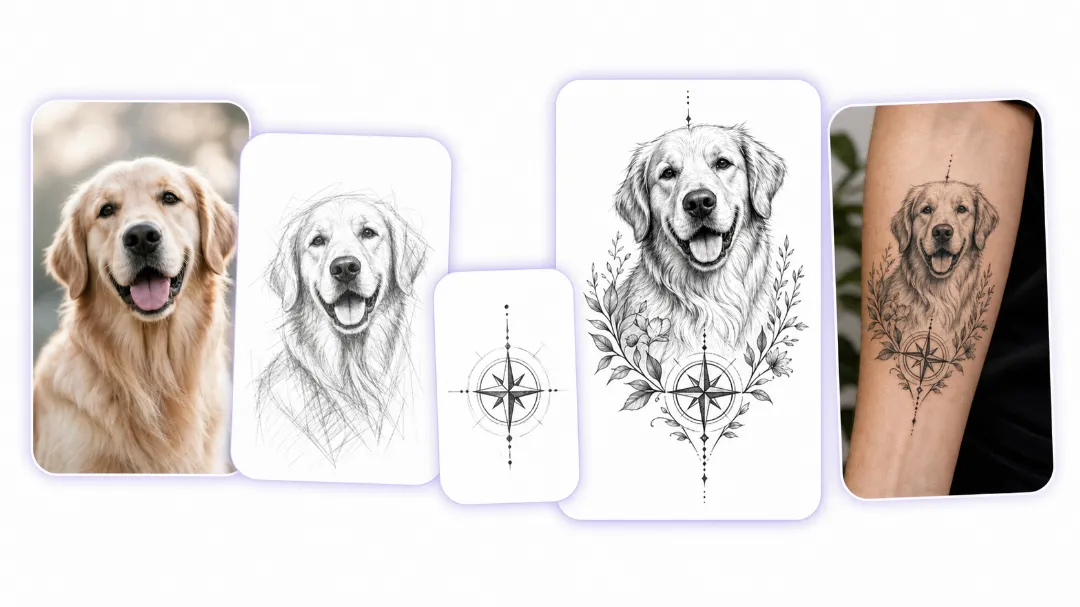
A dog you lost two years ago. A portrait of your grandmother. A logo you sketched on a napkin. A half-finished doodle saved in your phone. Most of these images don't look like tattoos yet — a photo is too busy, a sketch too rough, a logo too flat. Upload it anyway. The tool reads what's actually in the picture and turns it into a cleaner, bolder, ink-ready version — stronger shapes, clearer lines, the kind of image an artist can actually work with. And if you don't have a reference at all? Prefer to start from scratch? Use our AI tool to create a tattoo design from a text prompt instead.
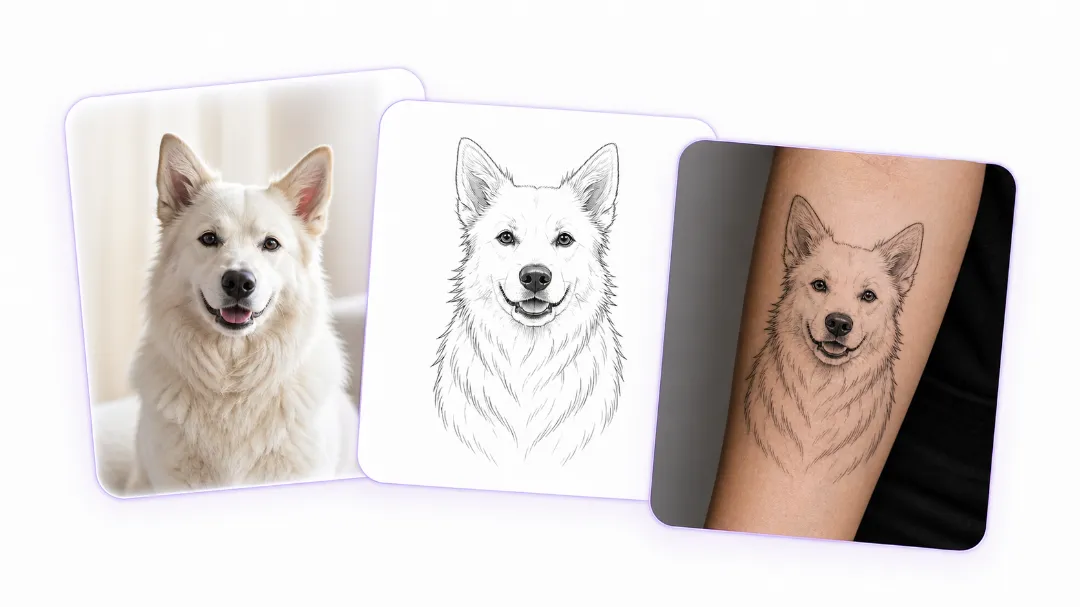
The worst thing a tattoo conversion can do is turn your dog into a generic wolf. This tool doesn't do that — the breed stays recognizable, the portrait keeps the person's expression, the logo keeps its shape. Fur patterns, facial features, the curve of a signature: the important details survive the conversion, no matter which style you land on. That's what makes the result feel personal instead of mass-produced. Once you've got a design you like, see it in real life — preview with a tattoo simulator on body before you book.
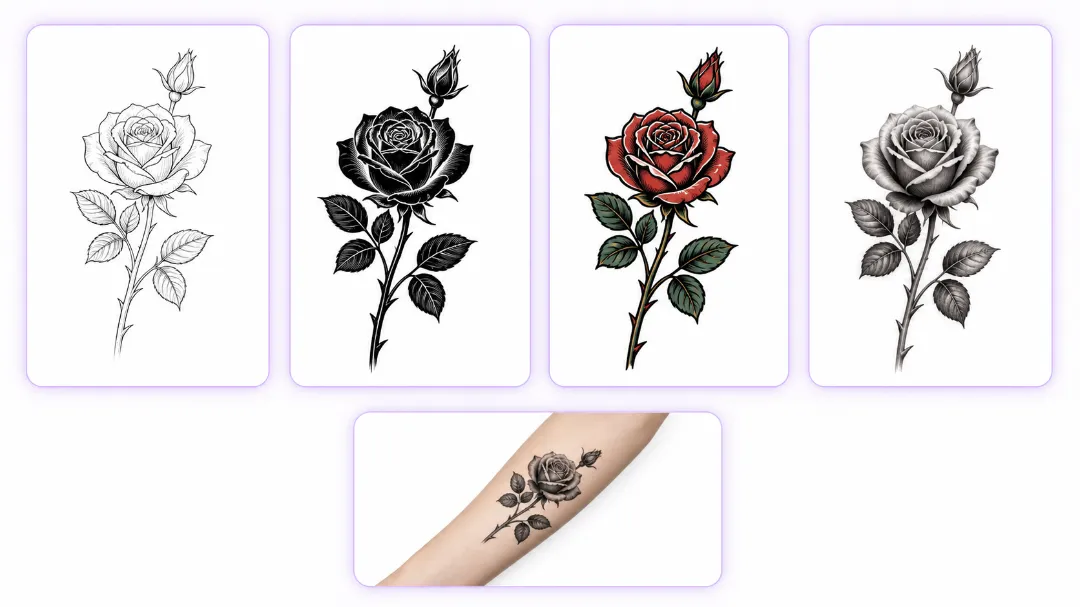
The same photo can go six different directions. Fine line keeps it light and delicate, blackwork makes it bold and graphic, realism pushes every detail, traditional gives it that timeless flash look, line art strips it down to pure shape. You don't have to guess which one suits your forearm or shoulder — run the same image through a few styles side by side and see the difference yourself. Once you've found the direction that fits, you're ready for the next step: ready for the shop? Convert tattoo to stencil format your artist can work from.
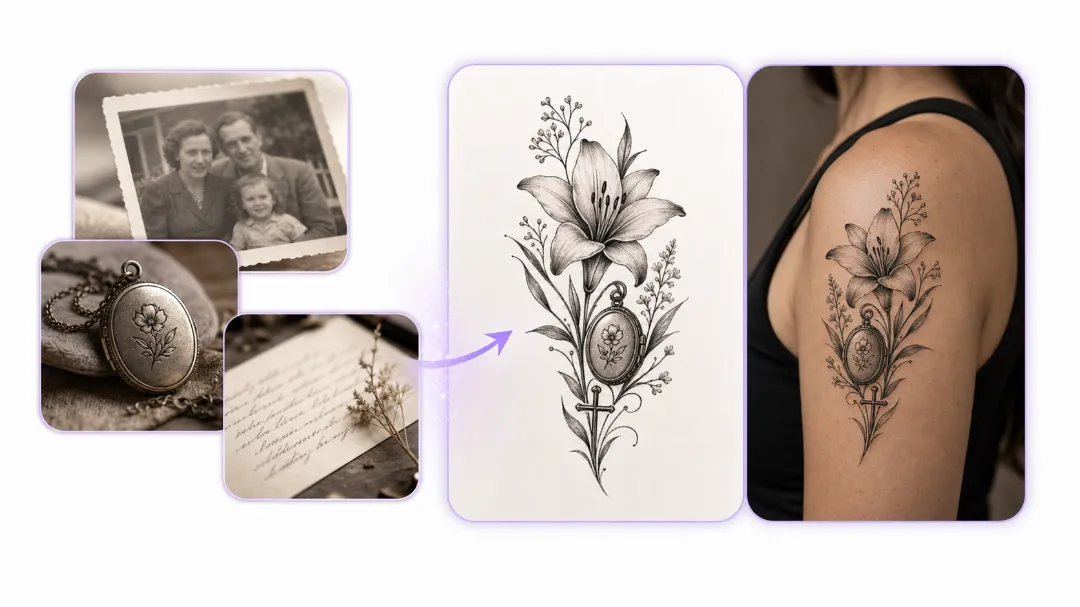
The tattoos people keep closest are usually tied to something personal, not something trendy. A parent's handwriting, an old phrase, a date, a favorite object, or a photo filled with memory — these carry real emotional weight. The challenge is preserving that feeling while shaping it into something visually strong enough for tattooing. This tool helps turn those personal references into polished concepts without draining the meaning out of them. And when your image deserves words alongside it — a name under a portrait, a date under a pet's face — want a caption under your image? Use the AI tattoo font generator and combine both.
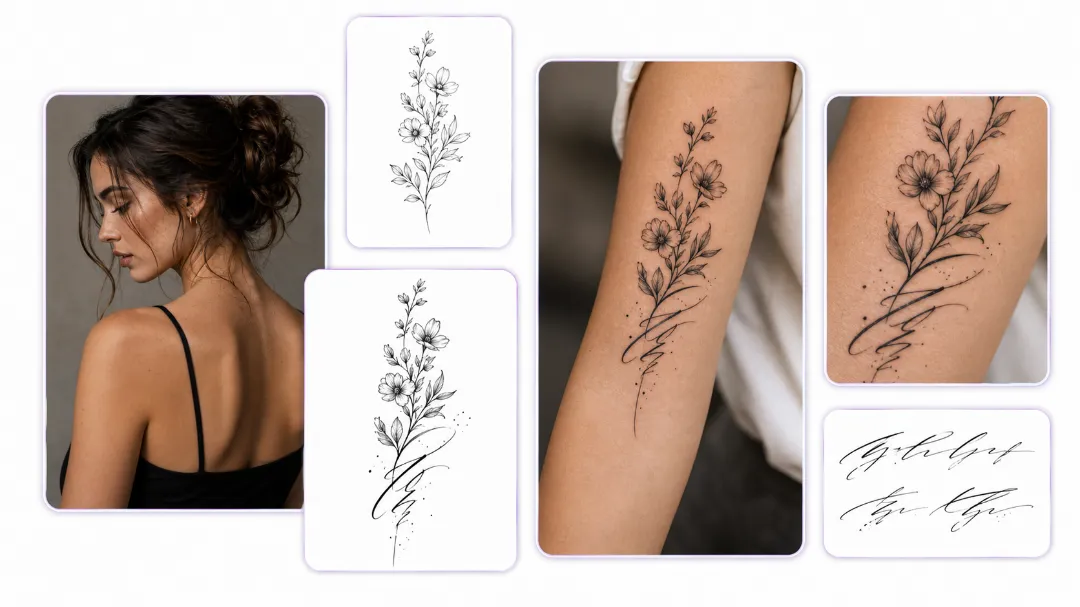
3 Simple Steps
Choose a clear, high-quality photo from your gallery. The better your reference image, the easier it is to create a tattoo design with clean lines and stronger visual impact.

Select the tattoo style that matches your vision. Testing different styles helps you see how the same image can feel soft, bold, detailed, or minimal depending on the direction you choose.

Use our tattoo simulator to preview the design on your arm, leg, or back, then download it or try it on to explore how it looks before making a final decision.
Upload a portrait, pet photo, flower image, handwritten note, symbol, or rough sketch and turn it into a tattoo-ready concept in just a few clicks. Our image to tattoo tool works as a practical bridge between personal reference images and tattoo design planning, helping users move from saved inspiration to a clearer visual direction without starting from scratch.
Explore multiple tattoo styles from the same source image, including fine line, blackwork, realism, minimalist, traditional, and illustrative looks. This makes it easier to test how one tattoo idea changes across different tattoo techniques and aesthetics, so you can find the style that best fits your placement, subject, and long-term preference.
When you are stuck between several tattoo directions, speed matters. Our image to tattoo tool helps you generate different visual outcomes from one image in seconds, making it easier to compare linework, detail level, and overall mood before choosing the concept that feels right for your forearm piece, wrist tattoo, back design, or memorial tattoo.
The strongest tattoo ideas often come from real memories and personal references, not generic templates. By starting with your own photo, object, handwriting, or symbolic image, you can create a tattoo concept that feels more emotionally grounded and visually connected to your story. That gives the final design more meaning before it ever reaches the tattoo studio.
You do not need drawing skills, tattoo design knowledge, or editing experience to begin. This tool is made for first-time tattoo planners, casual users, and anyone who has an idea but struggles to turn it into a usable design reference. It simplifies the early concept stage and helps users explore tattoo possibilities with less pressure and more confidence.
A tattoo idea becomes much easier to discuss when you have a clear visual reference in hand. Use generated concepts to prepare for real conversations about placement, scale, line detail, and style with your tattoo artist. This makes the planning process more concrete and helps turn abstract inspiration into something you can actually refine for a real tattoo session.

"I had a photo of my dog that I always wanted to turn into a tattoo, but I could never picture the right style. This image to tattoo tool helped me test different looks in minutes and gave me something clear enough to bring to my tattoo artist. It made the whole process feel much less overwhelming."
Don't let your best ideas stay stuck in your camera roll. Use our AI image to tattoo generator today and take the first step toward your next favorite tattoo.

